E10s
Entitlements for software products: who gets which features, limits and plans, managed in one place instead of scattered through the code.
The brief
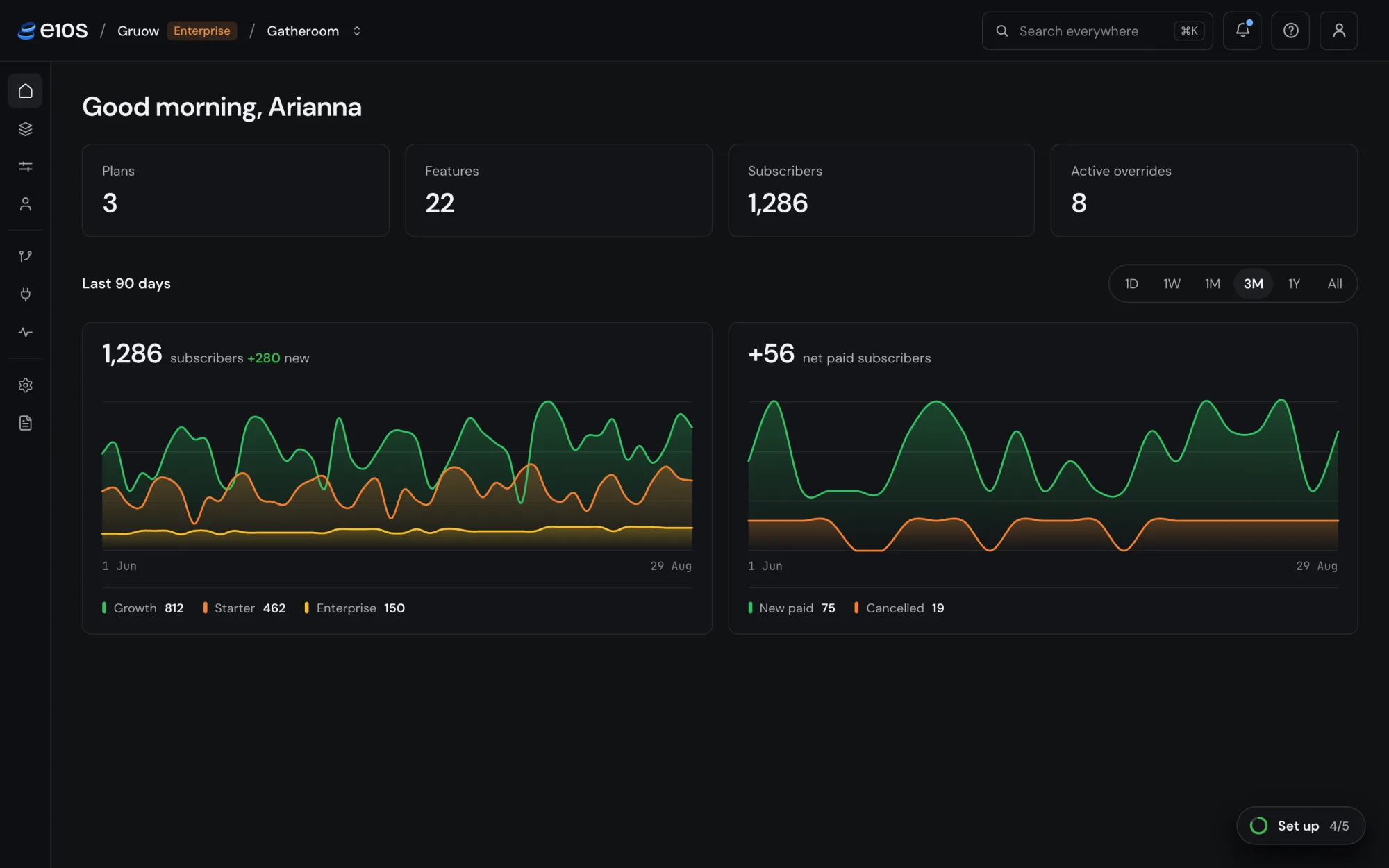
Software teams usually decide what each customer can use in code, scattered across the product and tied to their billing system. Every new plan, limit or custom deal means an engineer changing code and shipping a release. E10s moves those rules into one app. The team manages plans, features and limits there, reviews changes before they go live, and the product asks E10s one question at runtime: may this subscriber use this feature?
We built E10s in-house as our own product, and we run it ourselves.
Strategy
- Entitlements first, pricing second. The core of v1 covers plans, features, limits and access, and nothing else. Prices only appear when a billing integration such as Stripe is installed. Integrations extend the core; the core never depends on them.
- Billing-agnostic from the start. E10s works with whatever billing system a team already has. If payment is collected elsewhere, E10s doesn’t display a price it can’t see.
- Built for small and mid-sized software teams.
- One word for the customer’s customer: “subscriber”. It keeps E10s’s own customers and theirs from blurring.
The catalog
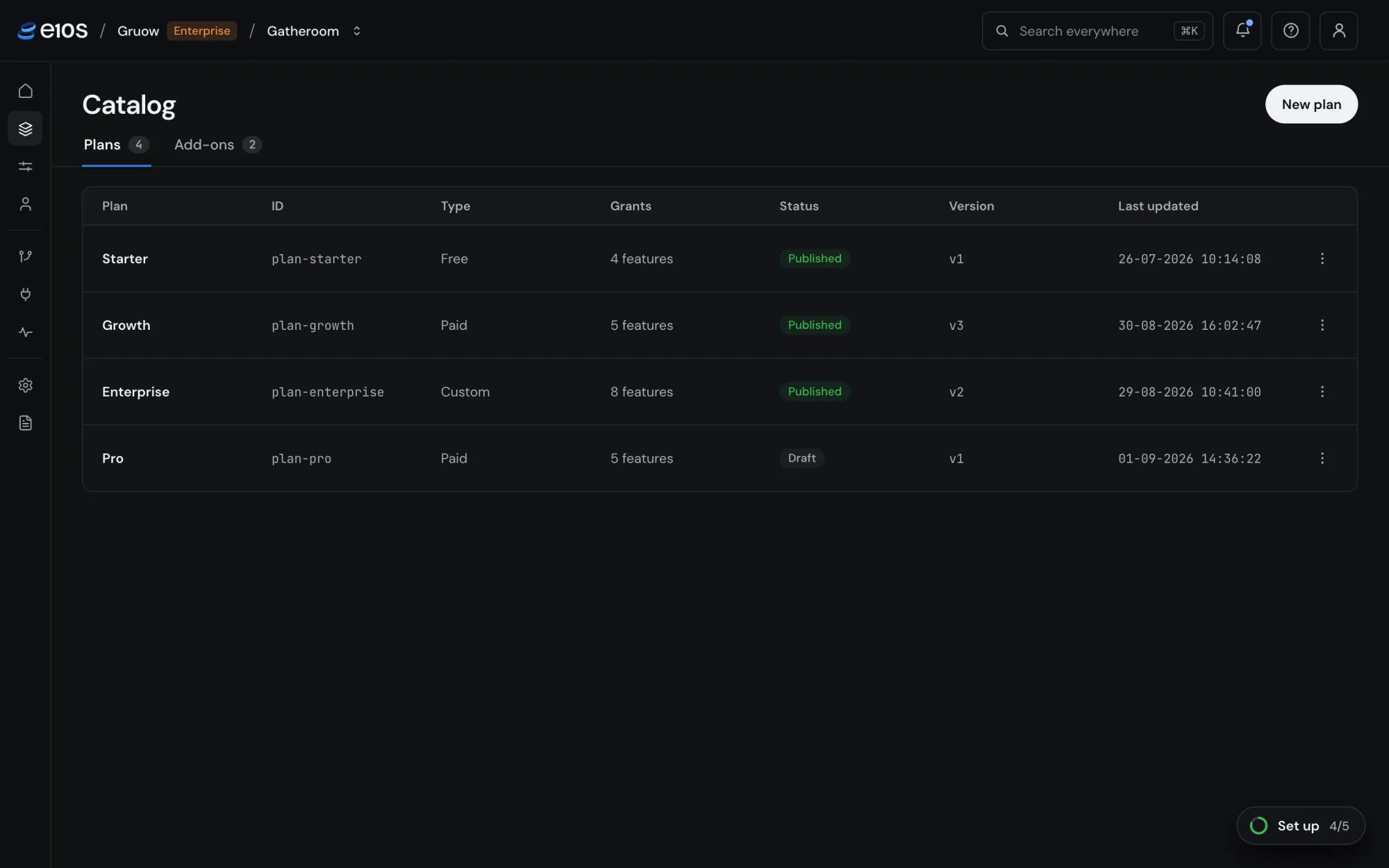
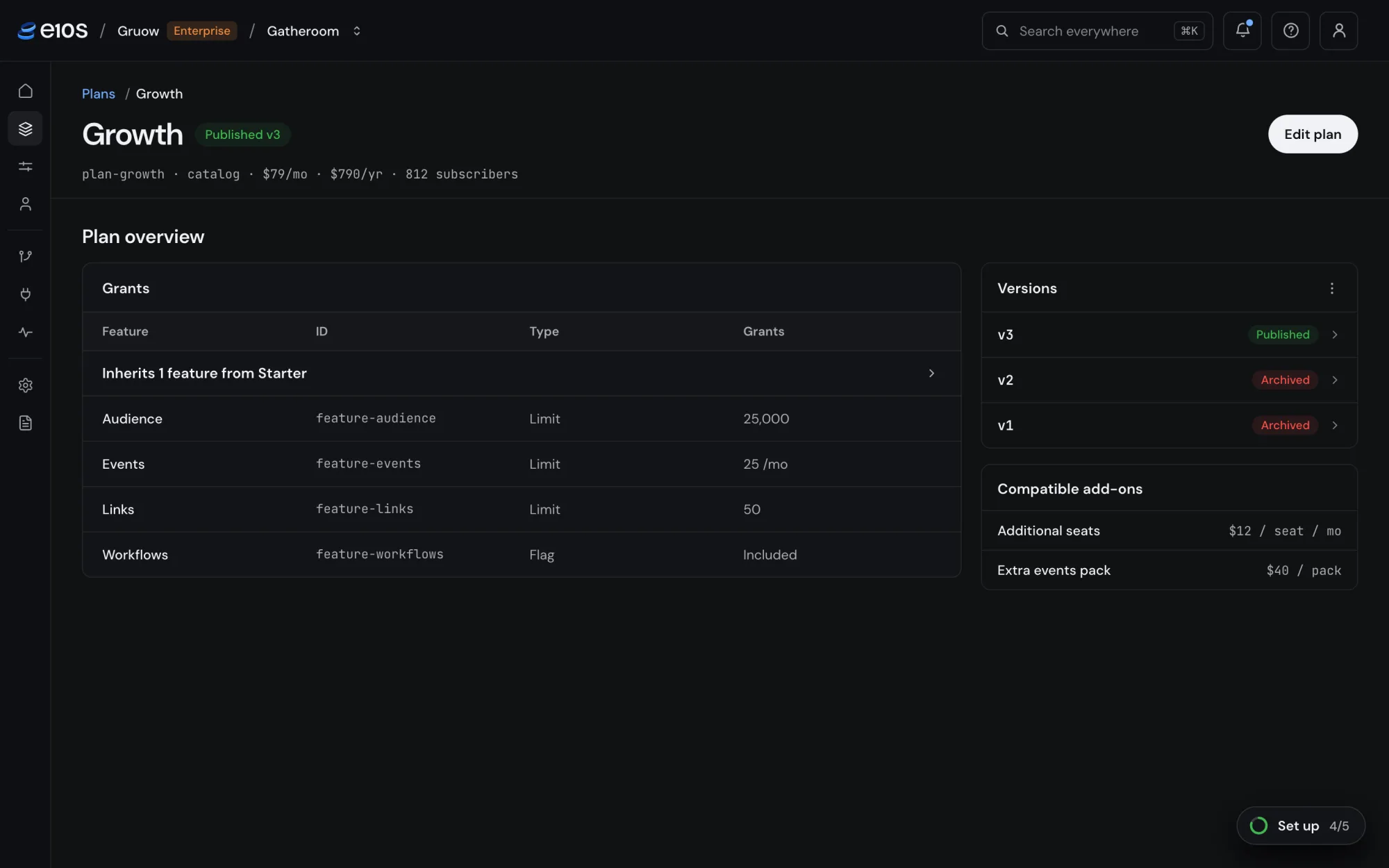
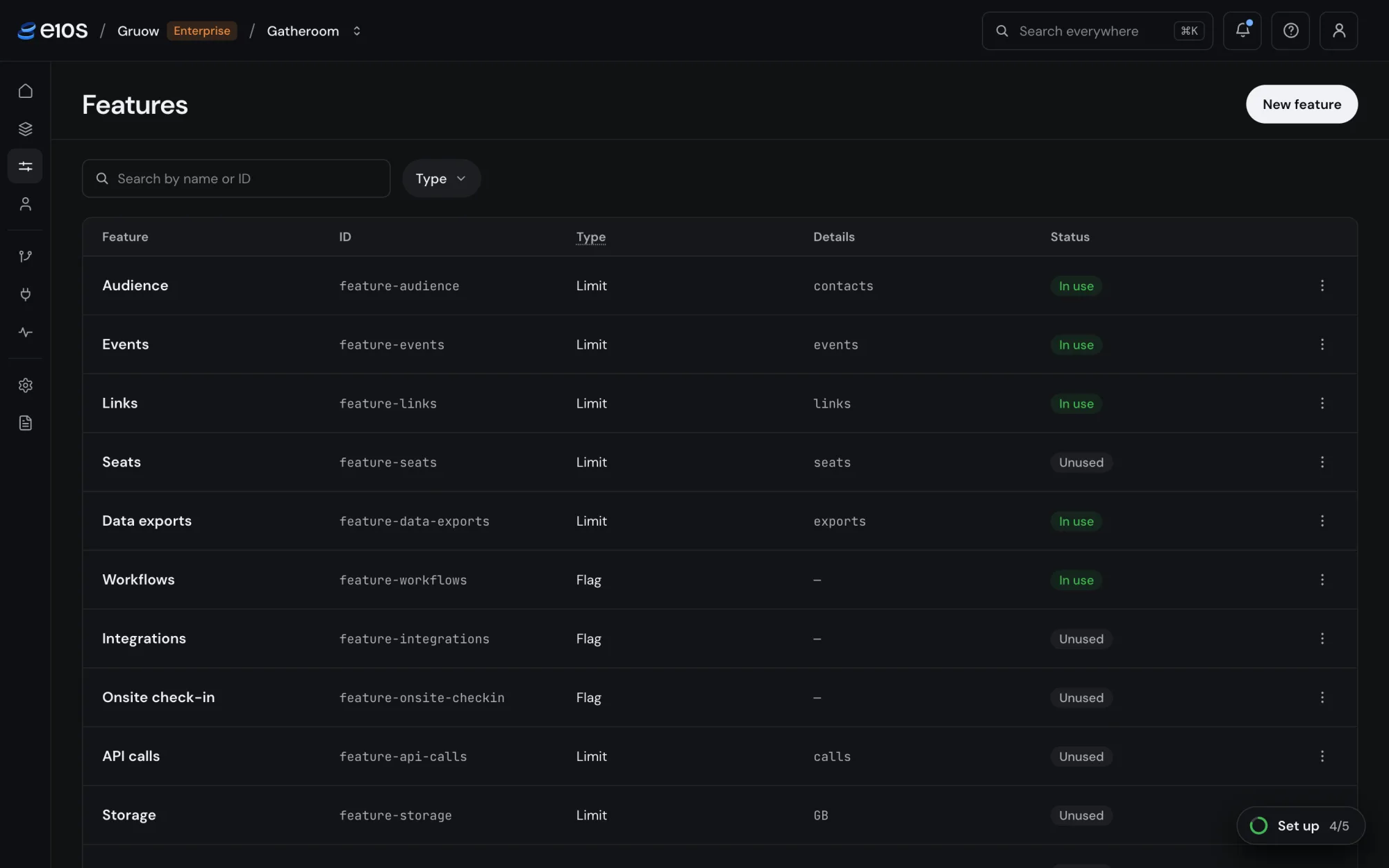
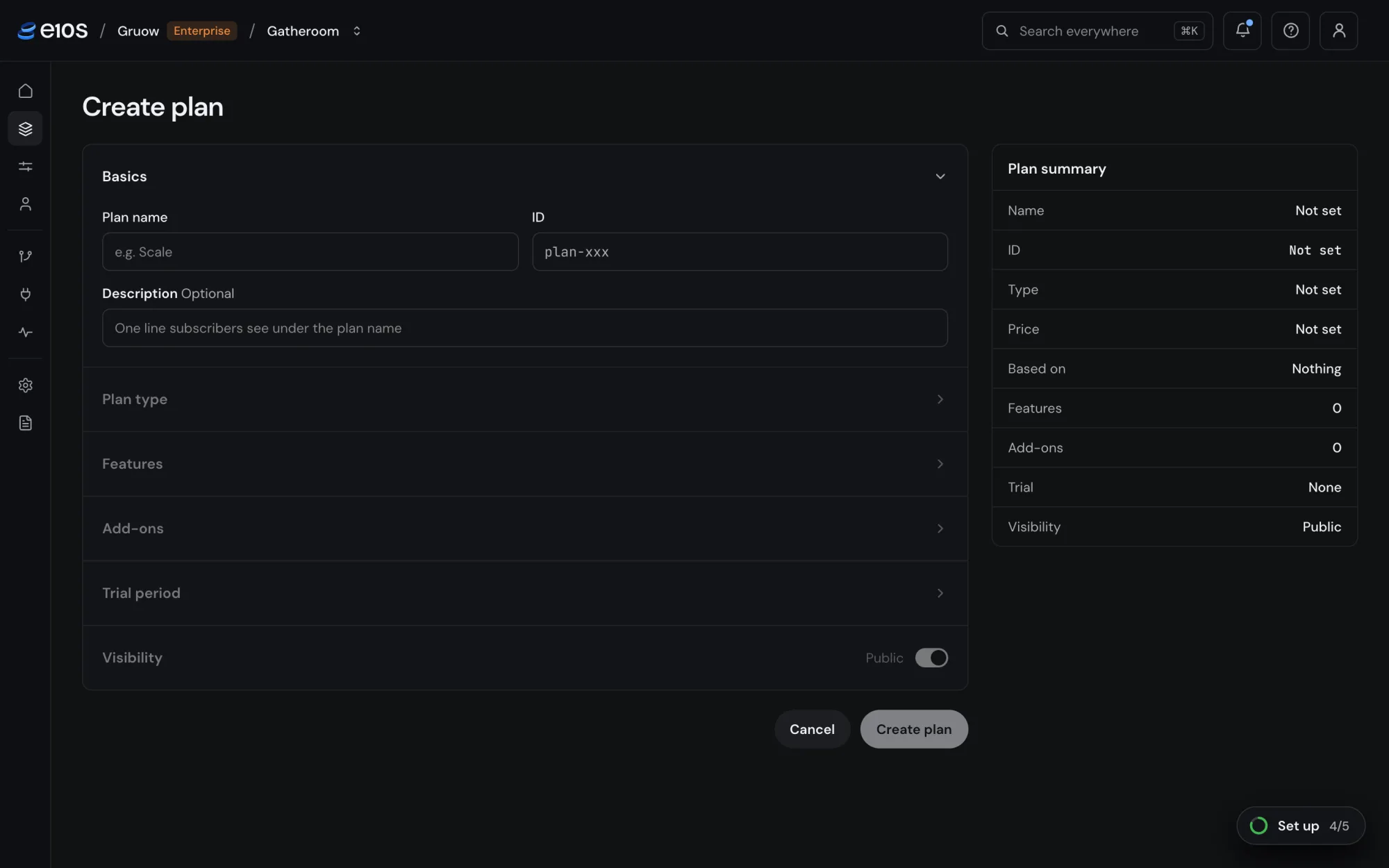
Everything a team sells is built from two kinds of feature: limits (seats, events, storage) and flags (on or off). Plans grant them, and a plan can build on another, so Enterprise inherits Growth and only states what’s different. Plan type describes how a subscription starts, not what it costs: Free activates straight away, Paid is confirmed by the team’s own billing system, and Custom is agreed per contract.
Plans are versioned. Changing what a plan grants, or its price, publishes a new version. Current subscribers stay on theirs until the team moves them, and new subscribers get the new one. Moving them happens on its own page: tick who moves, choose when, confirm.
Subscribers and overrides
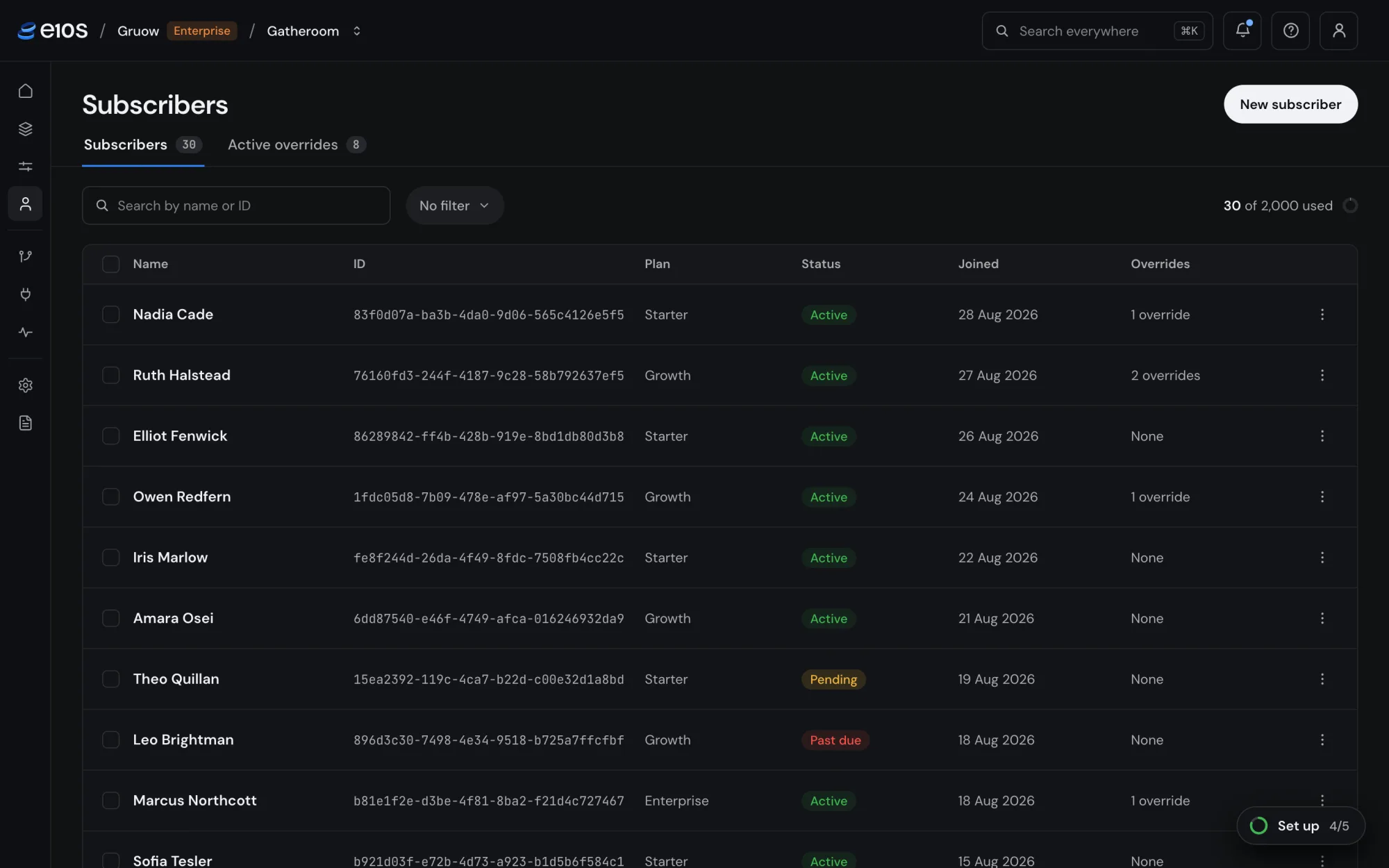
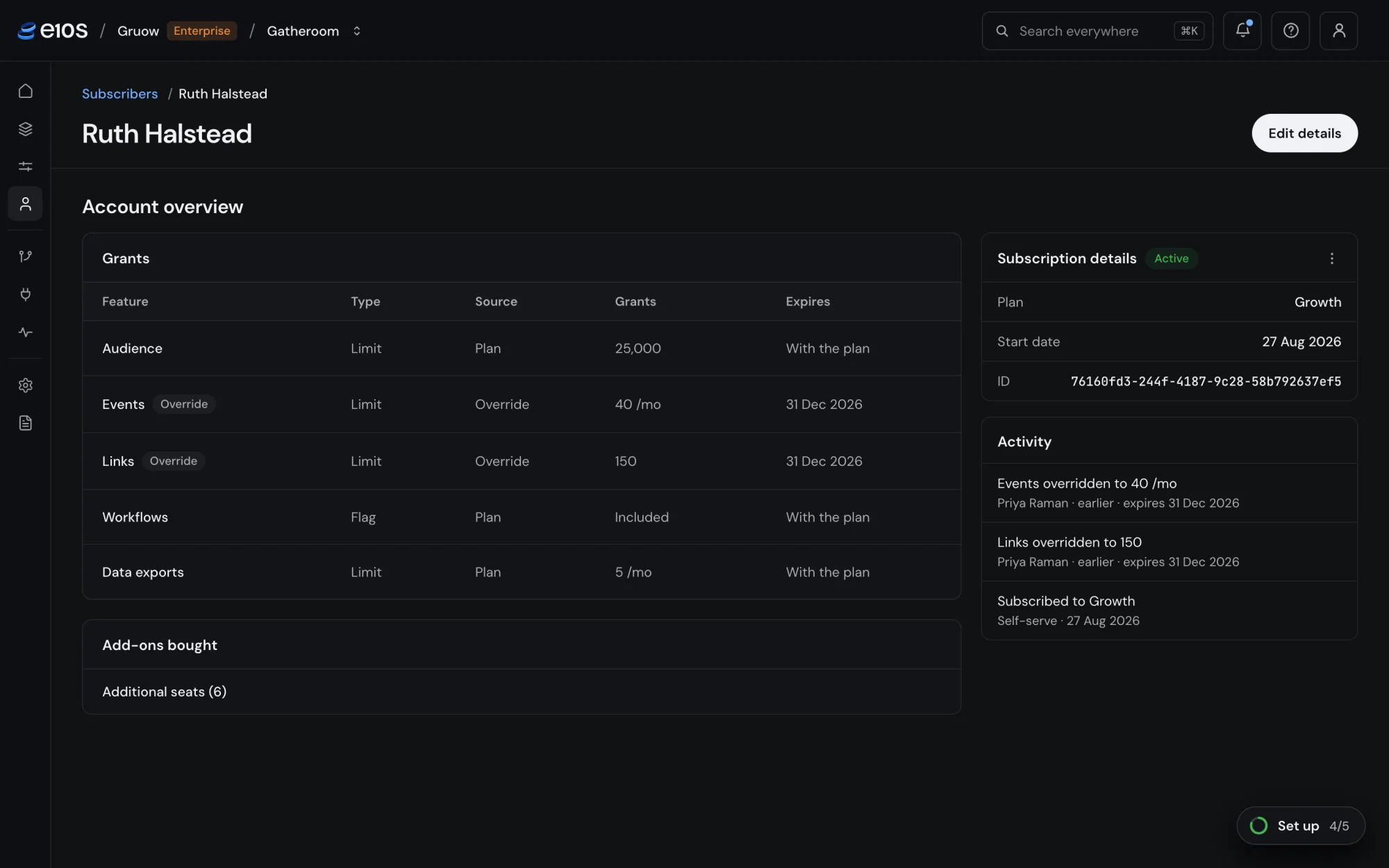
A subscriber page answers the question support gets asked most: what does this customer have, and why? Every grant shows its source, the plan or an override, and when it expires.
Overrides are how real deals work. Sales and support grant them mid-conversation, with a value and an expiry, and they go live immediately. A webhook tells the team’s backend, so there’s no redeploy. Enterprise deals don’t mean plan sprawl either: every enterprise subscriber can sit on one custom plan, with per-feature values set for each as overrides. No separate plan per customer.
Teams rarely start from zero, so moving over had to be easy. Subscribers can be imported from a plan’s own page into that plan and version (an account ID and name are enough), or in one general import that maps a plan column to E10s plans. Every import is reviewed before it’s published, whether the rules came from code or from another tool.
Changes, reviewed
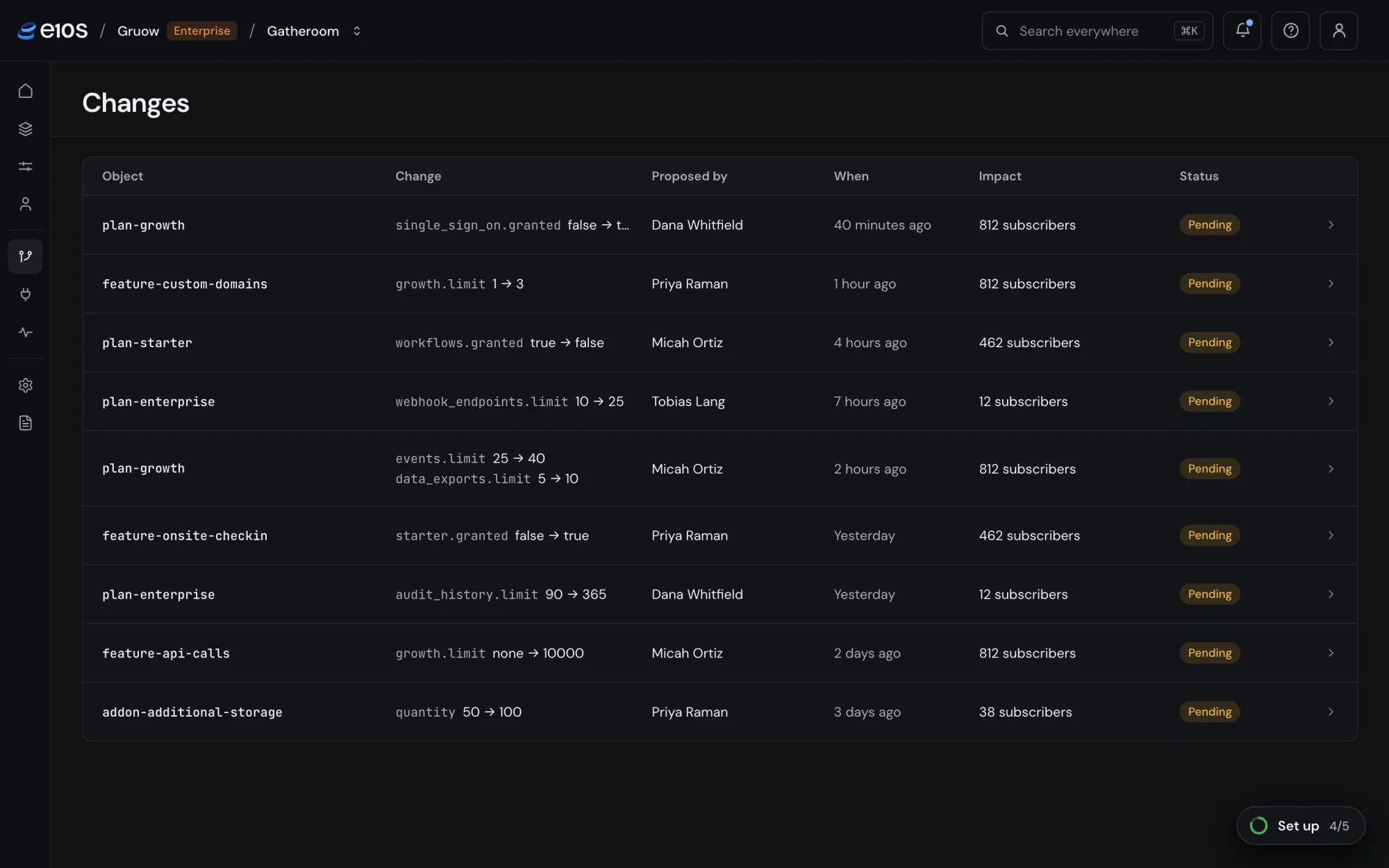
Entitlements decide what paying customers can do, so a mistake costs real money. When reviews are on, changes to plans, features and add-ons wait for approval. Each one shows the raw field change and how many subscribers it affects. If the object changes underneath a request, the request goes out of date and closes rather than landing on stale data. Overrides skip review on purpose: they exist to be fast.
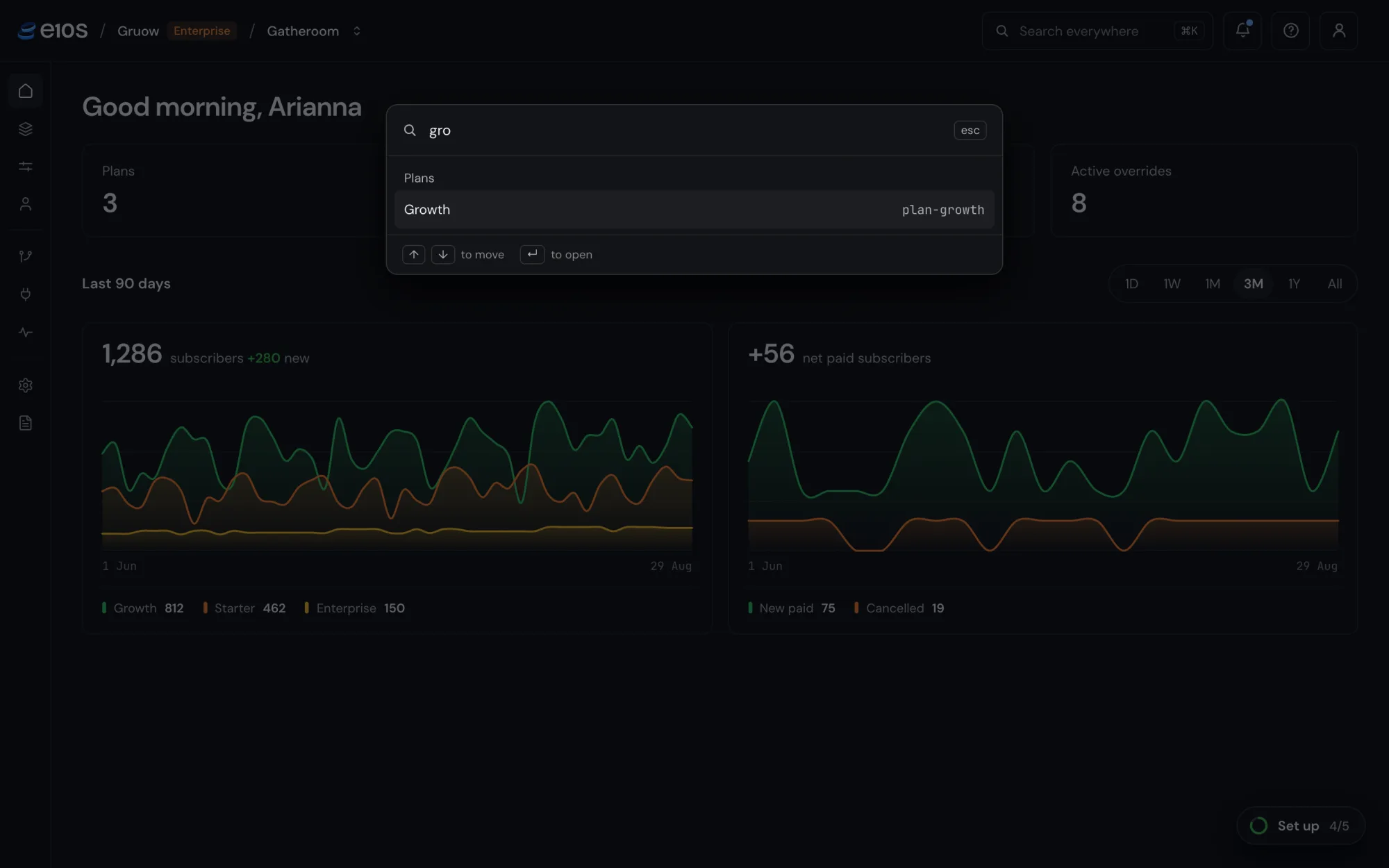
Every action is written to an activity log, including failed and refused attempts, with who did it, from the console or the API, and what changed. Search everywhere sits on one shortcut (⌘K) and reaches any plan, add-on, feature or subscriber.
Design
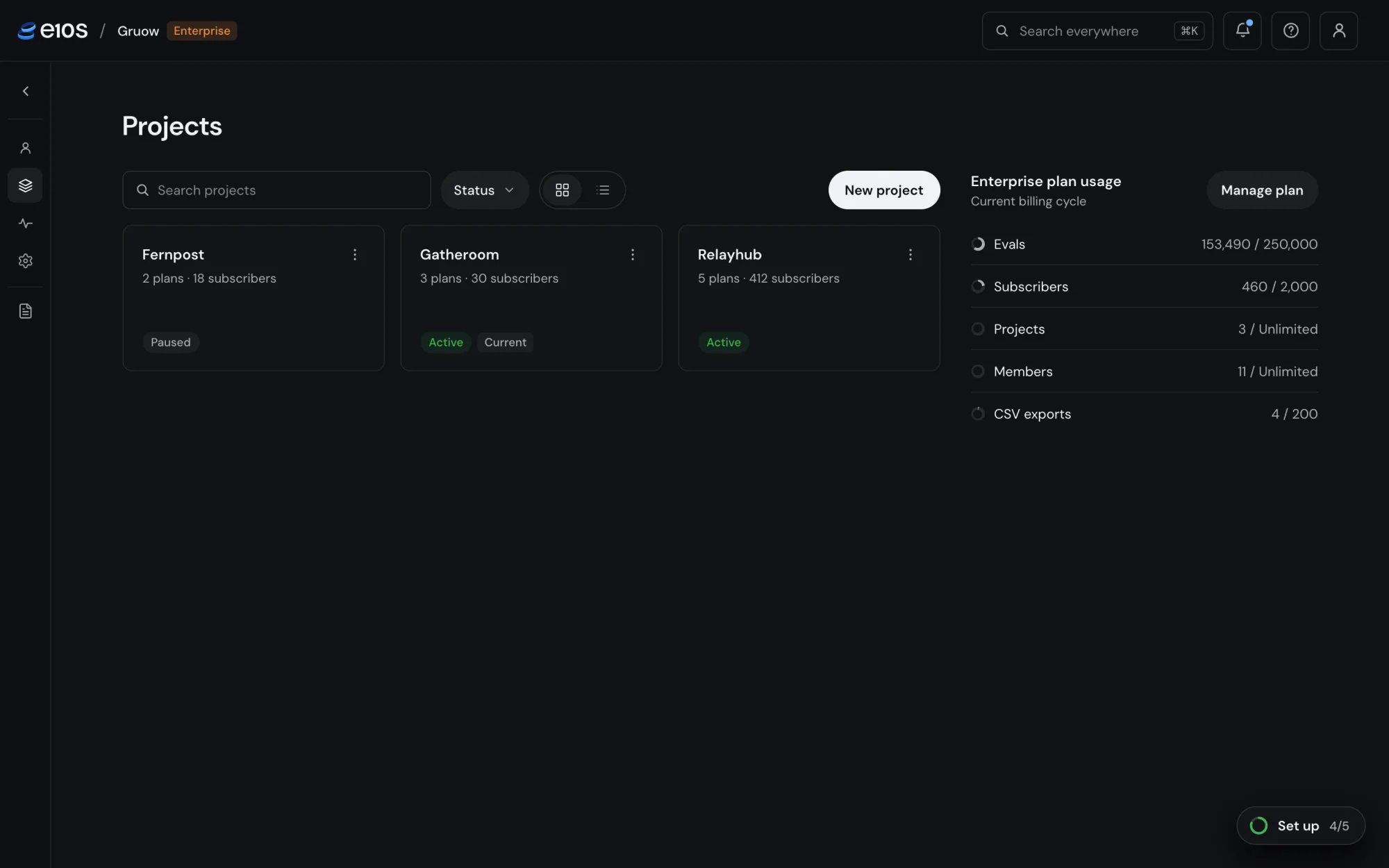
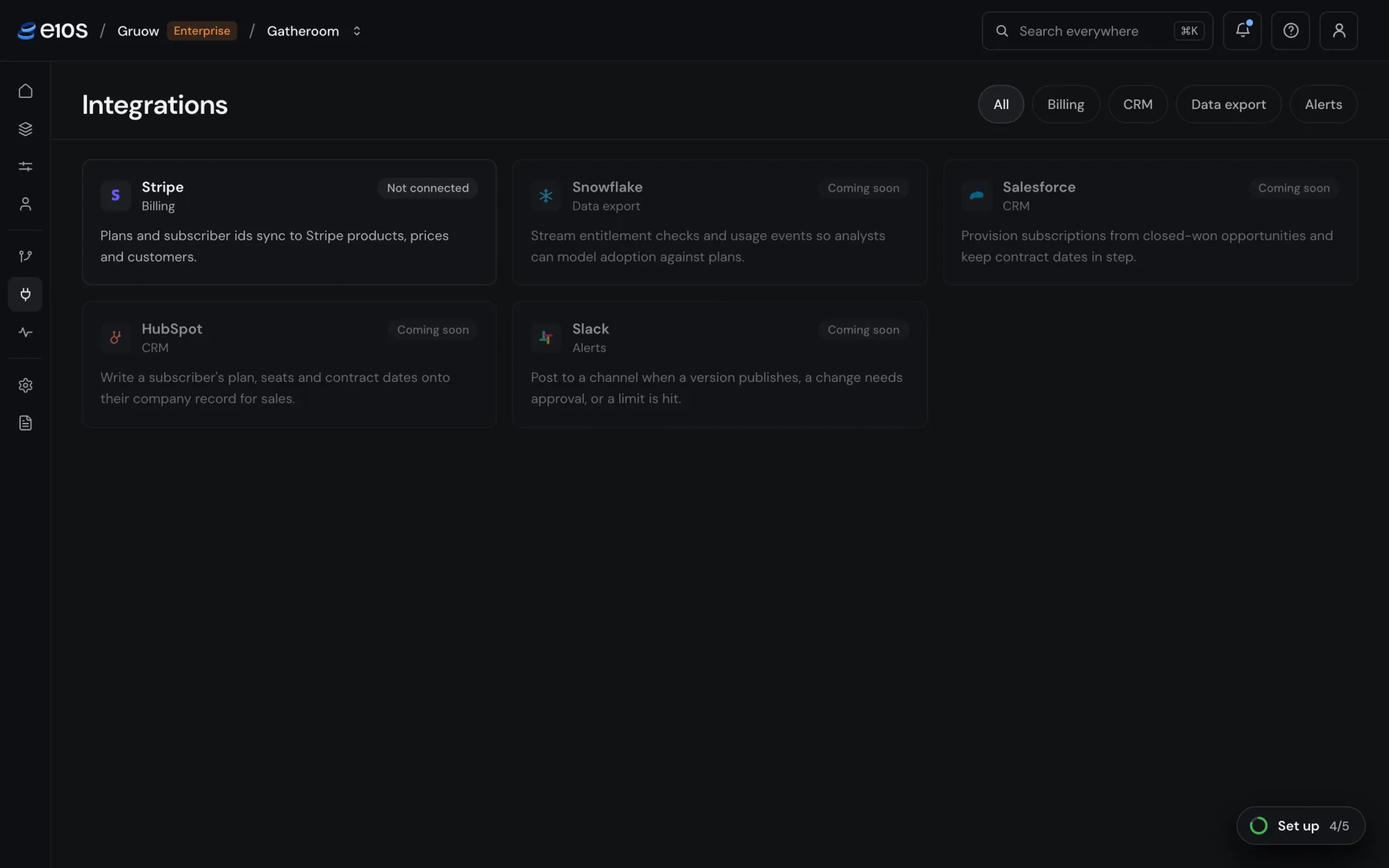
We designed E10s as a dense tool for people who live in it. We built our own design system on Base UI, with DM Sans and colour tokens defined in OKLCH, and kept a written log of every product and design decision as we went. A few rules carry most of the weight:
- Colour means status. Green is live, amber is pending, red is ended or failed, grey is inert. Everything else stays neutral, so a status never has to compete for attention.
- A type scale by kind, not by taste. 14px for anything you read or act on, 13px for meta, 12px for status labels. No half sizes.
- Tables work the same everywhere. Search on the left, filters on the right, multi-select filters with checkboxes, and actions in a menu on each row.
- Onboarding in five steps. Create a feature, build a plan, add a subscriber, create a key, then check from your server. A small launcher tracks progress until it’s done.
Where it stands
Live. A free test plan includes 250,000 evaluations a month.