Kyvera
Kyvera brings corporate structures, ownership relationships, documents, and verification into one connected system, helping teams manage the complex workflows involved in KYC, KYB, and due diligence.
The brief
Kyvera, first known as iDataroom, came to us from experienced fund administrators in Luxembourg, across investment funds, fund management and depositary services. They wanted something the market didn’t have: a single place where entities, documents and compliance workflows live together, with verification built into the system.
Compliance teams managing complex corporate structures run on workarounds. Documents are requested over email, tracked in spreadsheets and stored in shared drives. When something is rejected or a requirement changes, the update travels through a chain of messages and manual follow-ups. We owned the product end to end through v1 and v2, alongside three developers and a product manager.
The problem
The difficulty in compliance software isn’t the interface. It’s how the data behaves: jurisdiction-specific requirements, tangled entity relationships, workflows with many parties, and the same documents re-uploaded for every new workflow.
The job was to make that ambiguity genuinely simpler for the people using it, without giving up accuracy, traceability or flexibility.
How we worked
Align → map → collaborate → review → ship → iterate.
We ran the work in sprints and stayed close to the stakeholders throughout; their knowledge of existing workflows let us simplify each phase. We rarely started an iteration from scratch. We looked at what already existed and fitted each new piece in without conflict or redundancy. Every design was reviewed with the client, signed off, and handed to development with annotations.
One early decision set the tone. Compliance products usually make every user verify their identity before they can get in. We cut that from onboarding and asked for verification only where it matters: when someone creates an entity for an organisation or an individual. Adoption stays easy, and the checks stay where they belong.
Dashboard and entities
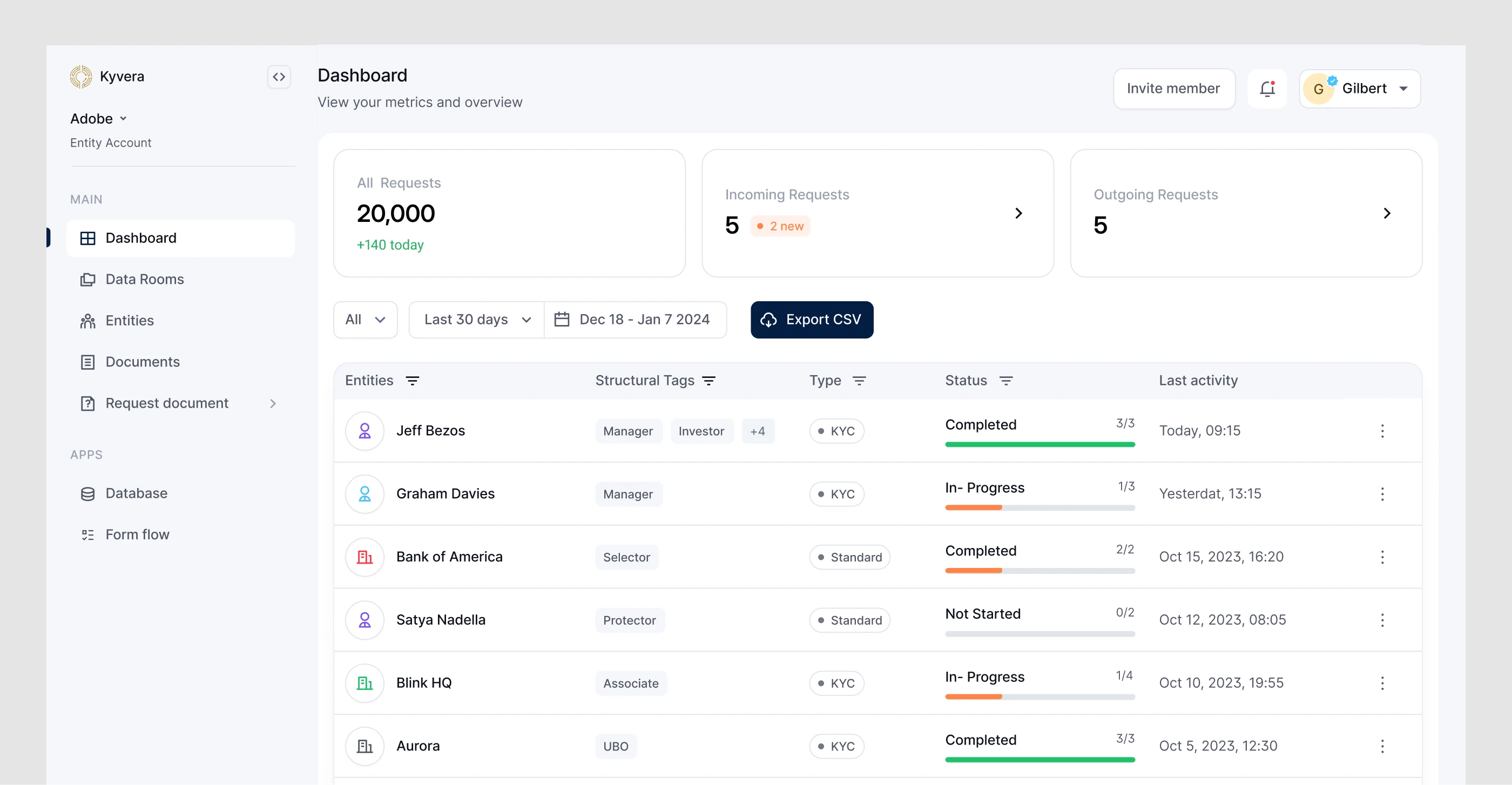
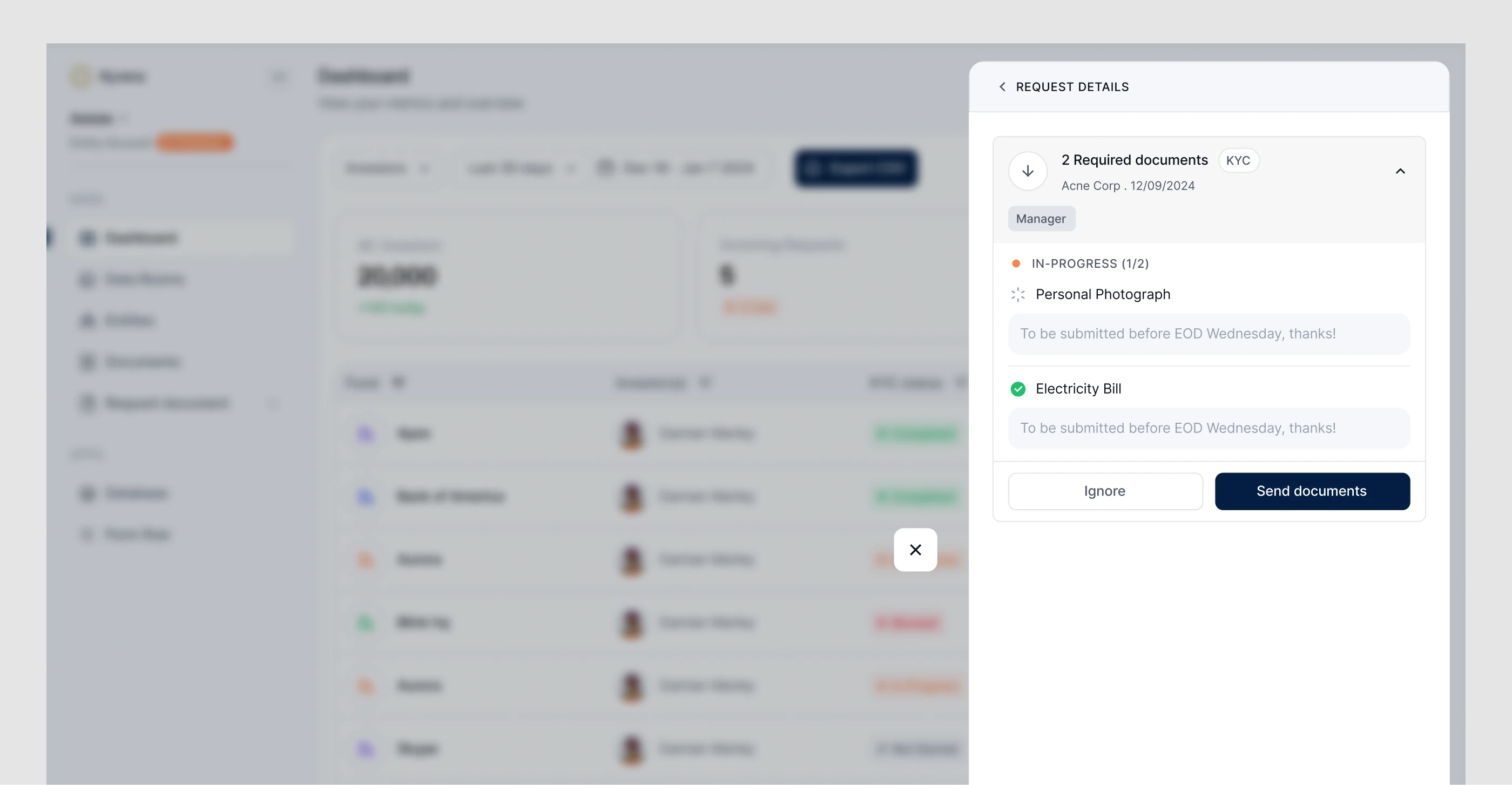
The dashboard is a snapshot of everything moving across a user’s requests: what’s coming in, what’s going out, the overall count and each status at a glance. Any request opens in place, with what was asked for, the notes, and what’s submitted or still pending, so users can respond without navigating anywhere else.
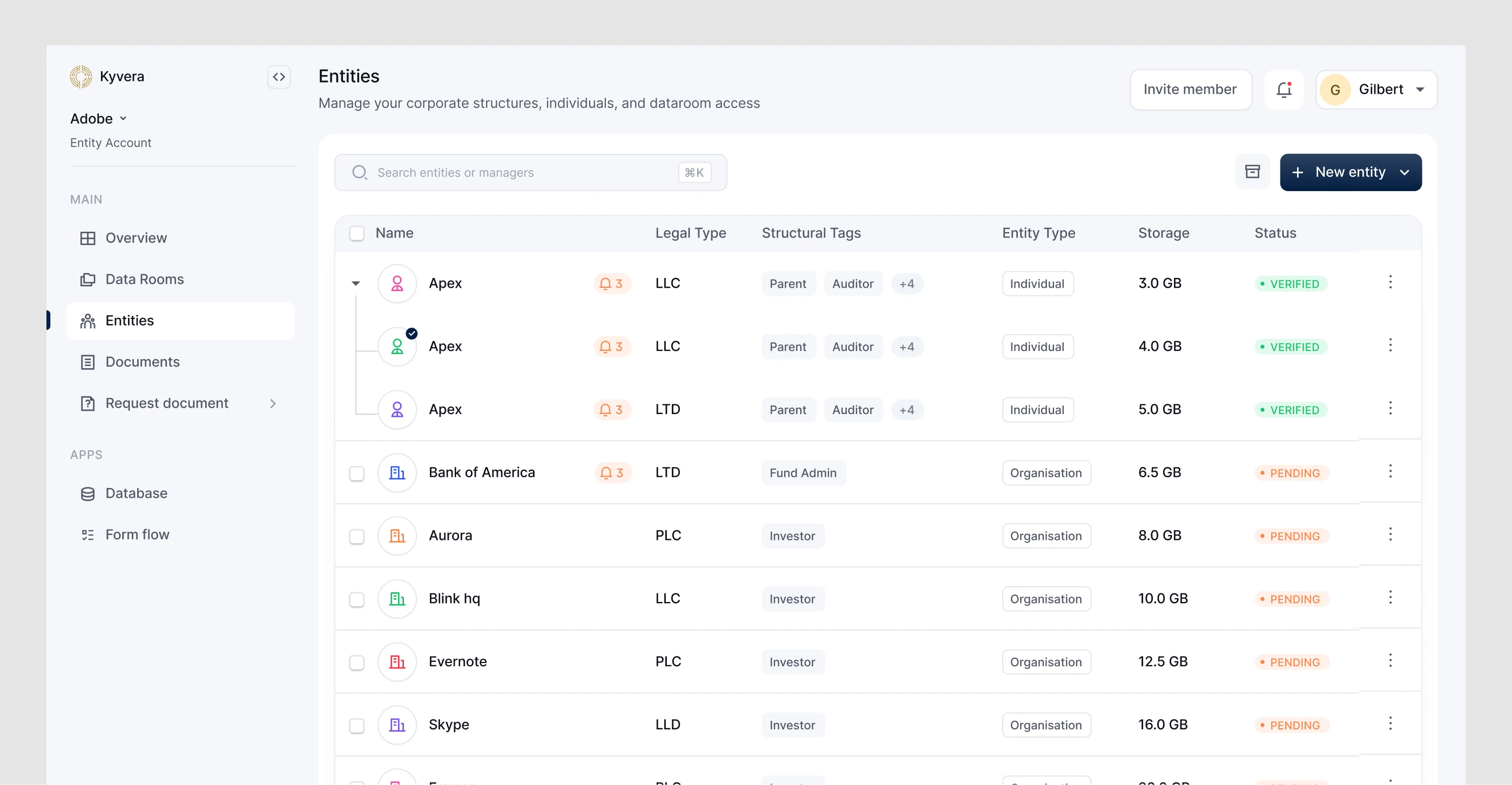
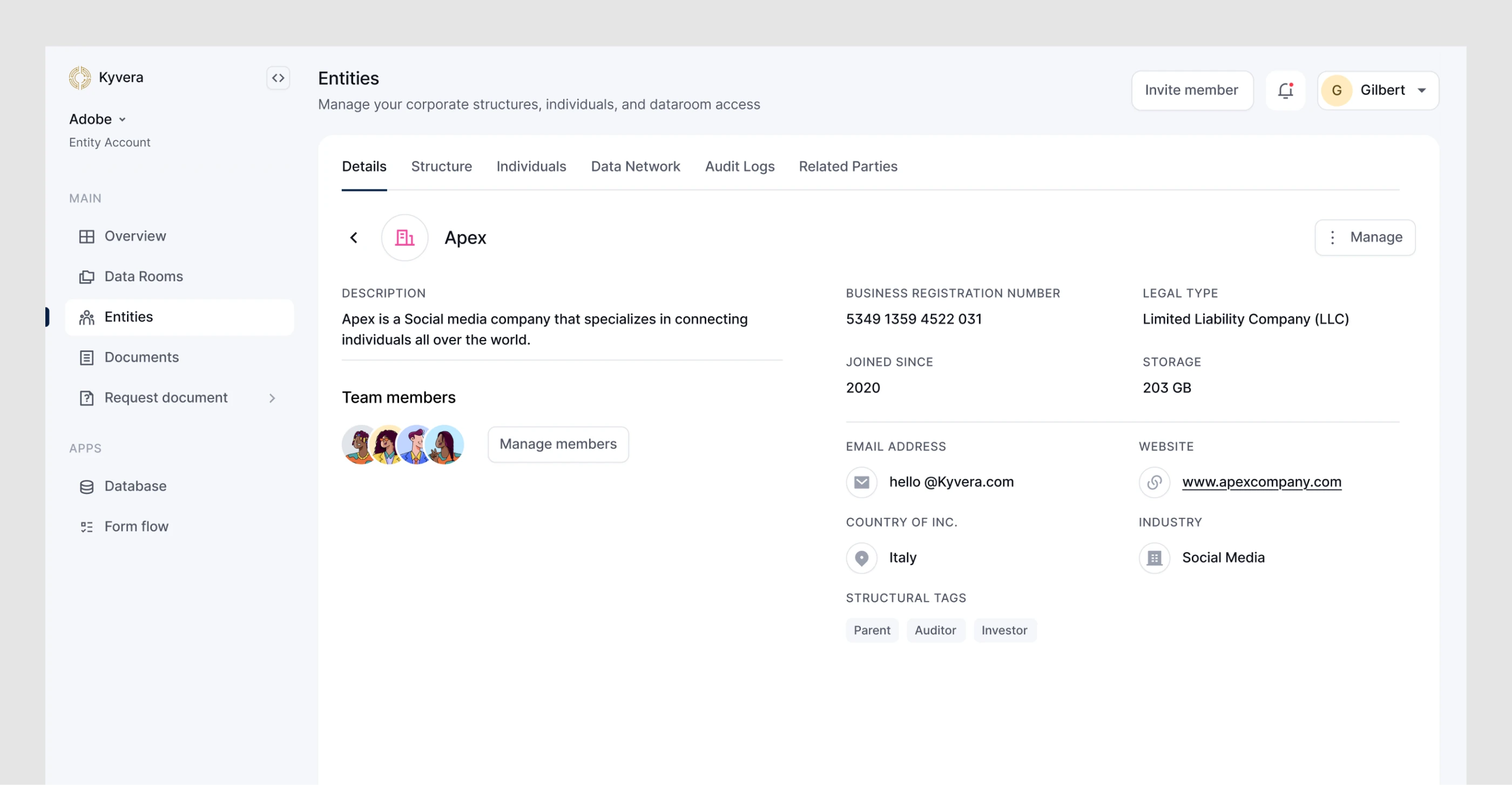
The entity system changed most between versions. v1 covered an entity’s overview, details and relationships. For v2 we set a higher bar: compliance officers, CFOs and anyone in KYC or KYB onboarding should be able to understand an entity, not just find it. That meant its details, its ownership from both an internal and an investor view, the individuals connected to it, its data network, its audit log and its related parties. The workflows behind that are entangled, so we presented them progressively, in the order a compliance officer actually thinks through an entity, rather than hiding anything.
Structure and relationships
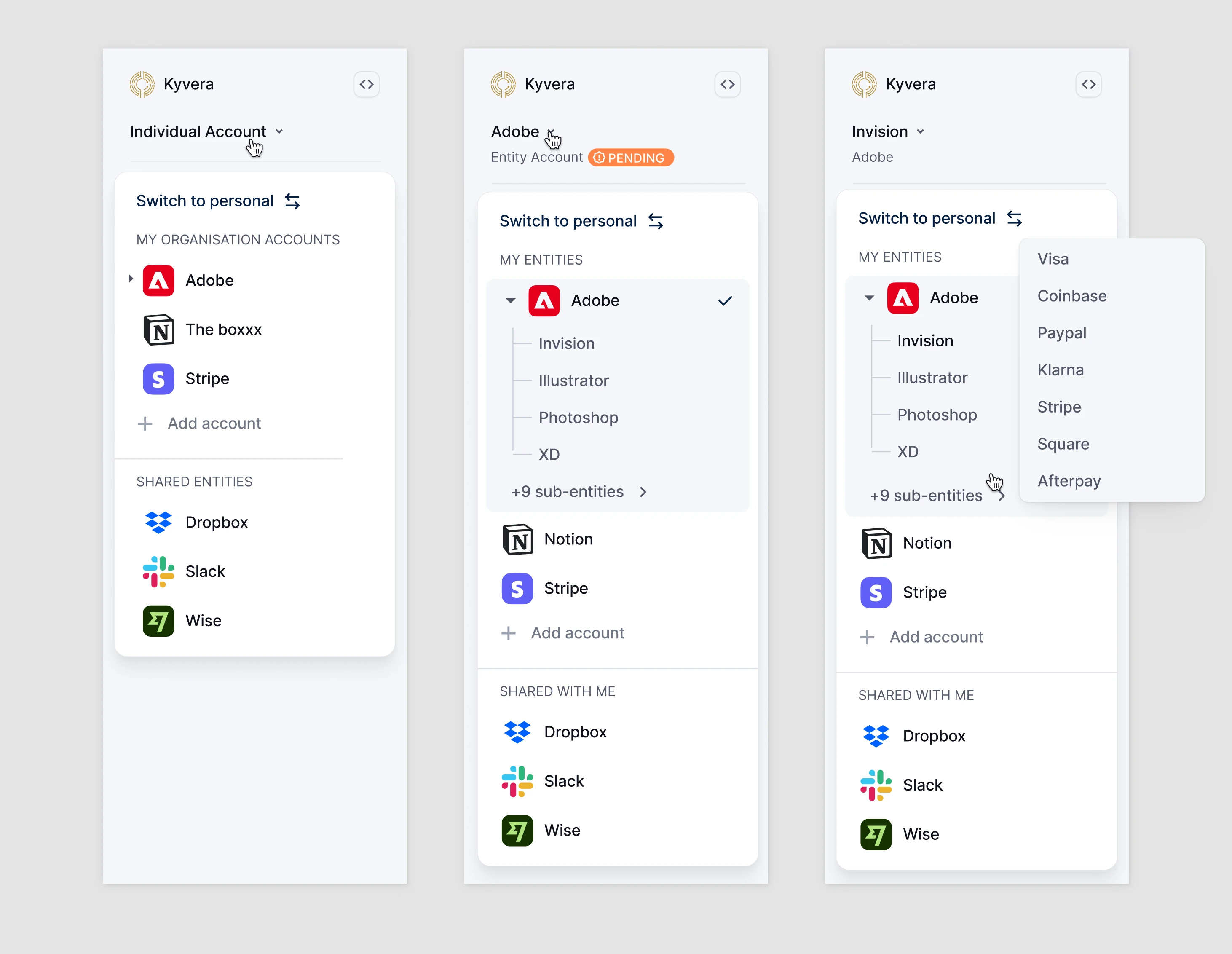
Navigation. Most users manage a portfolio of entities, not one. v1’s dropdown handled switching accounts, but broke down for someone managing ten entities with deep sub-structures. In v2 it became a grouped sidebar that keeps the whole structure visible, with actions like editing an entity, creating a data room and managing members available without switching context.
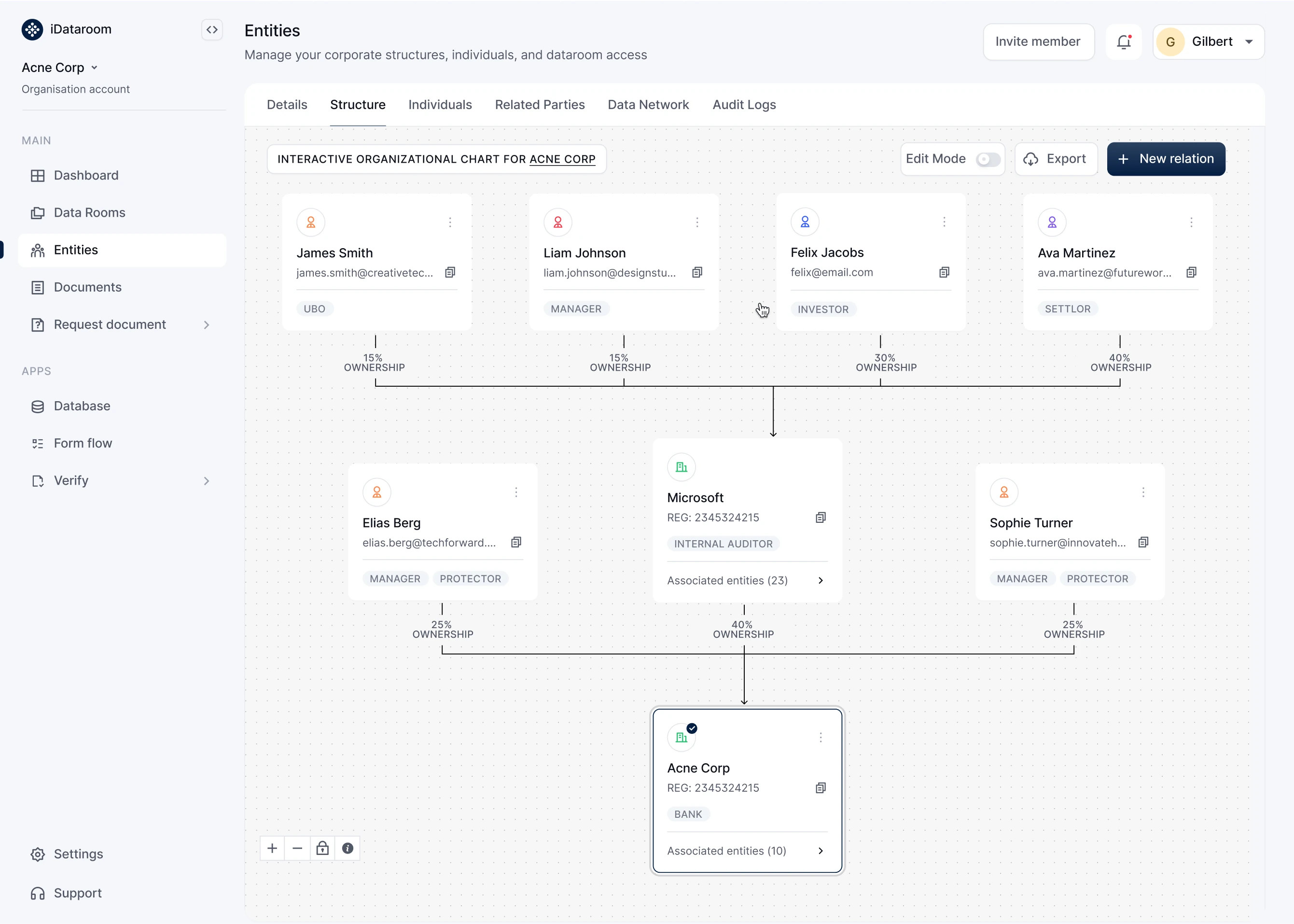
Structure. The ownership view had to let a compliance officer understand who owns an entity, how deep the relationships go and who runs it day to day, at a glance. Structures can go ten levels deep in both directions, and a flat list collapses under that. Grouping relationships by association and ownership gave the view structure without hiding the complexity.
Ownership mapping. Entities in Kyvera aren’t standalone records. Ownership percentages, roles and parent–child links are set as part of creating an entity, including creating counterparties mid-flow. Those relationships are the foundation for data rooms, document requests and AI generation, so getting them right up front matters.
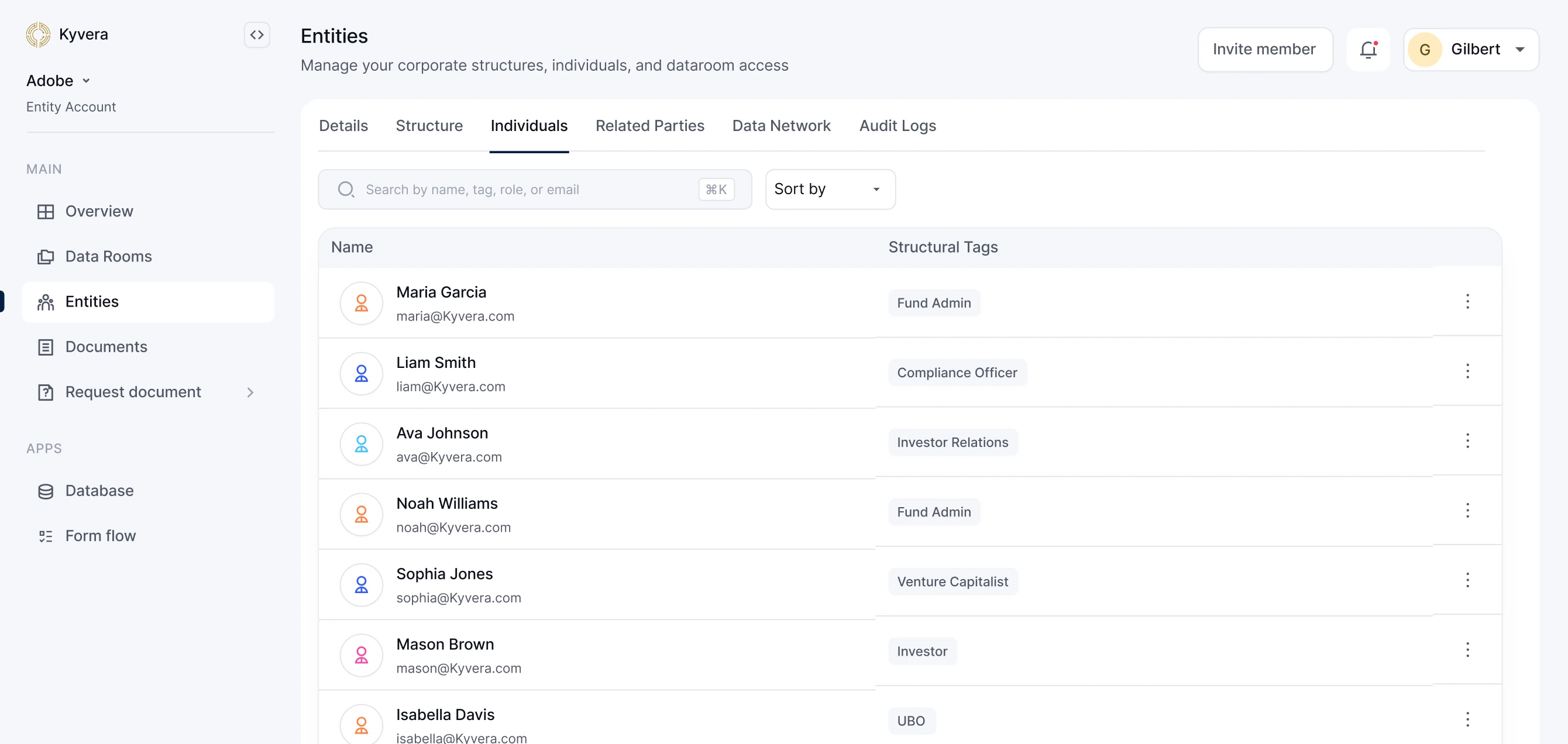
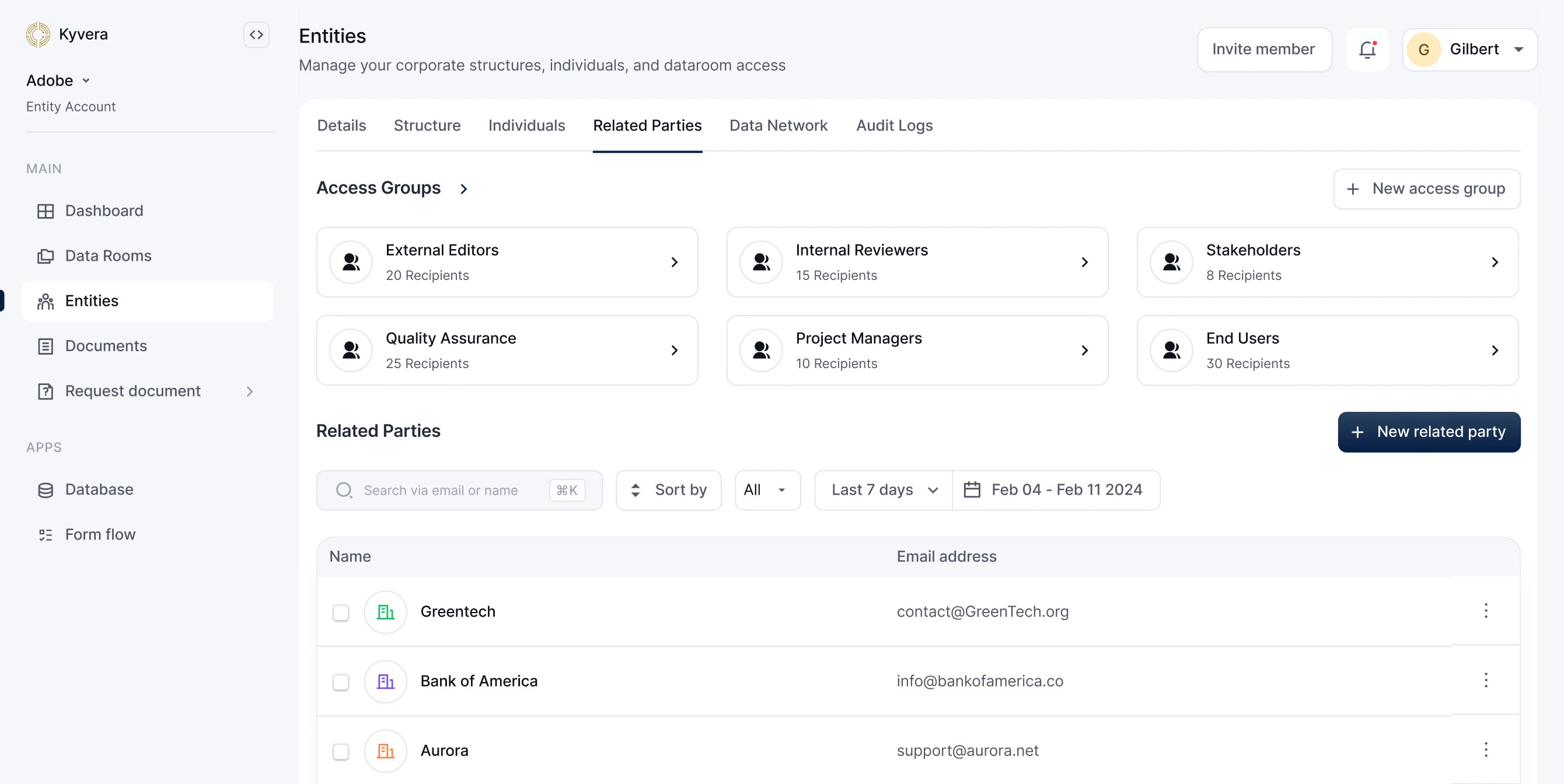
Individuals and related parties. Everyone linked to an entity sits in one place with their role visible, ready to request documents from or share files with. Related parties are the entities a team works with most, and access groups turn them into reusable distribution lists, so sharing a data room with the same group takes one step instead of many.
Data network and audit logs
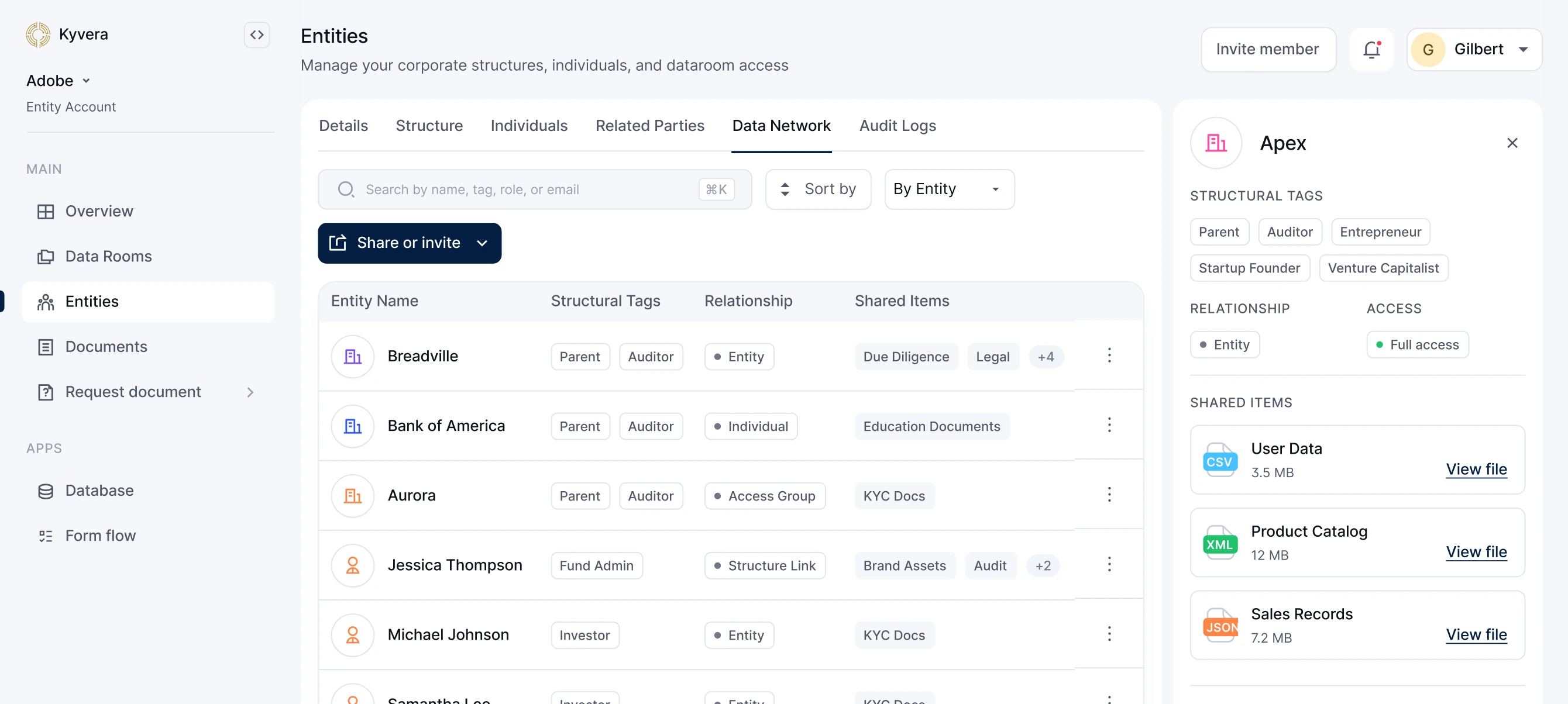
The data network lists every entity, individual and group with a sharing relationship to the focused entity. Any connection opens to show everything exchanged between them: a clean record of partnerships and data-sharing history without leaving the entity.
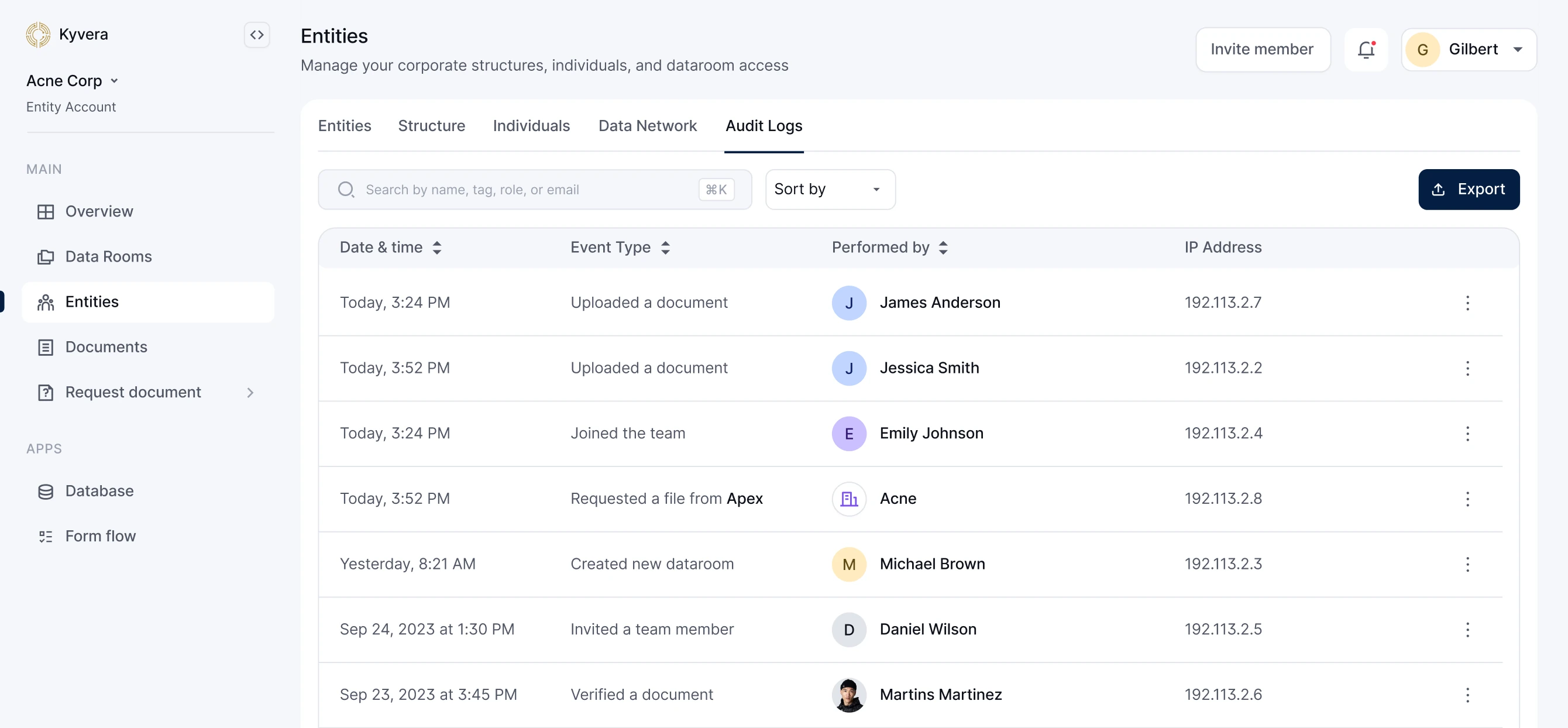
The audit log is a complete, immutable record of every change tied to an entity, exportable when needed. The data is dense by nature, so the filters do the heavy lifting and the log itself stays uncluttered.
Data rooms
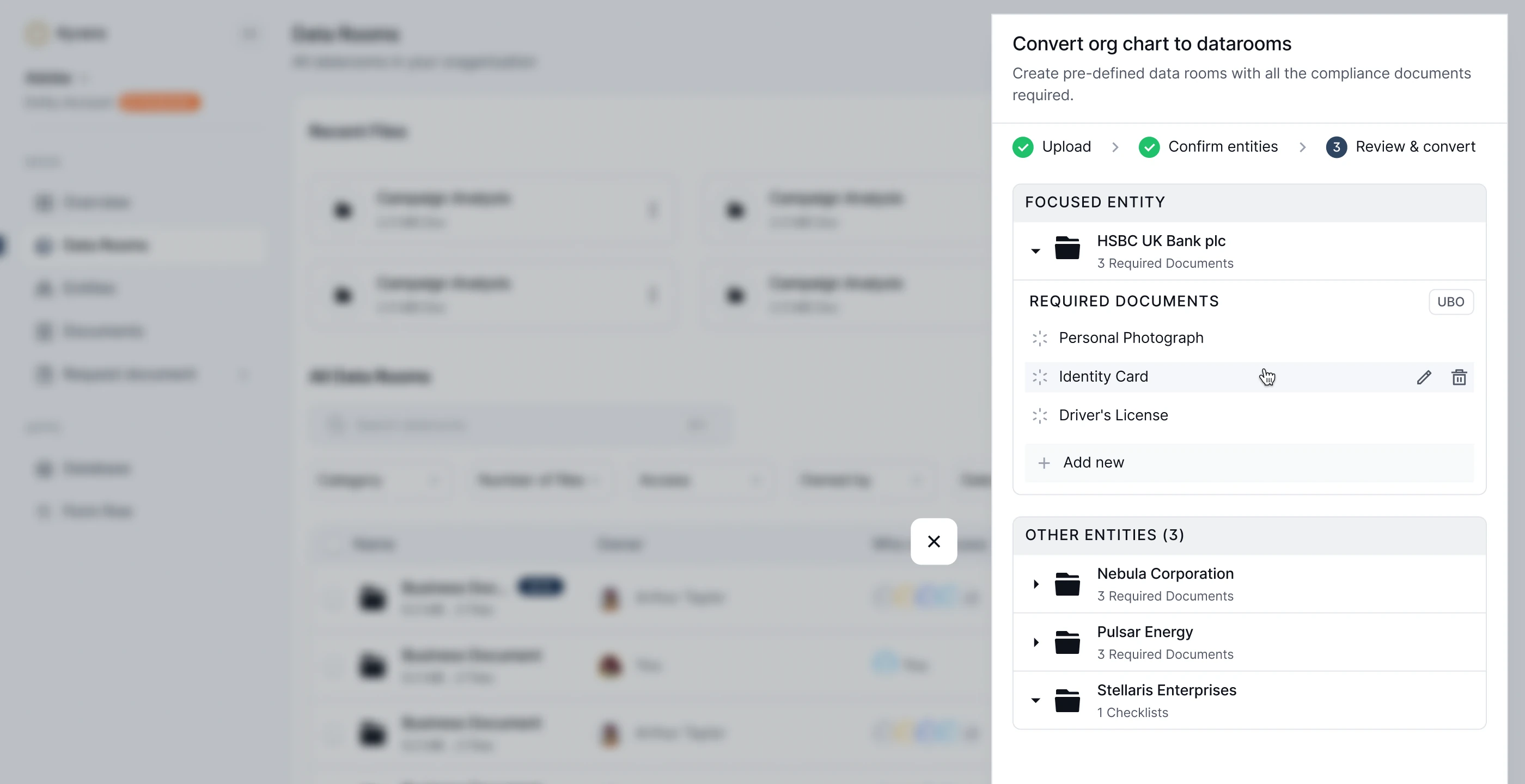
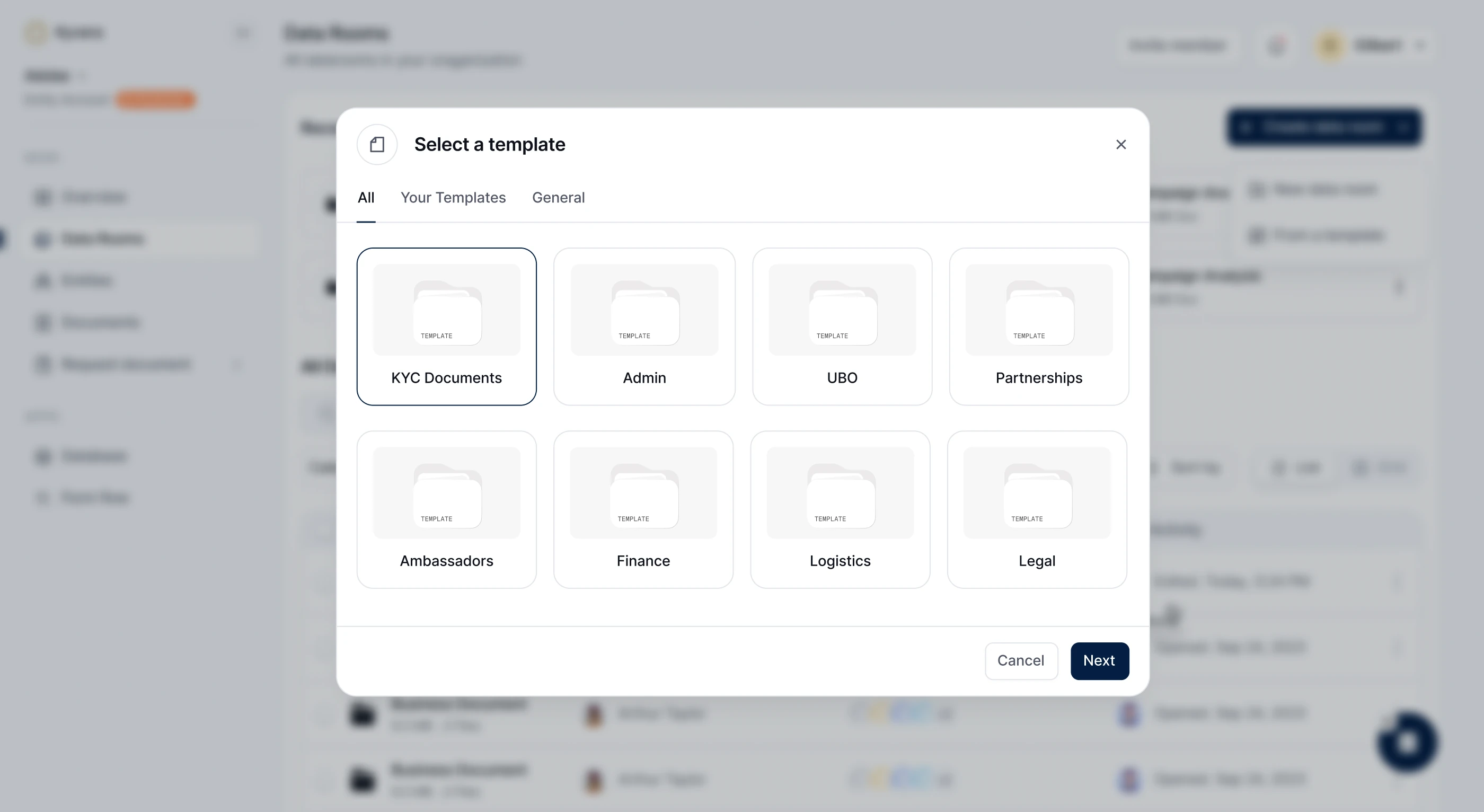
Most data rooms are containers: upload documents, set permissions, share a link. Kyvera needed a compliance layer. Teams have to prove that the right documents were requested, collected, reviewed and verified against clear requirements, so we tied data rooms directly to entities and their workflows: Entity → Data Room → Request → Upload → Review → Feedback → Verified. Every step is traceable, timestamped and attributable.
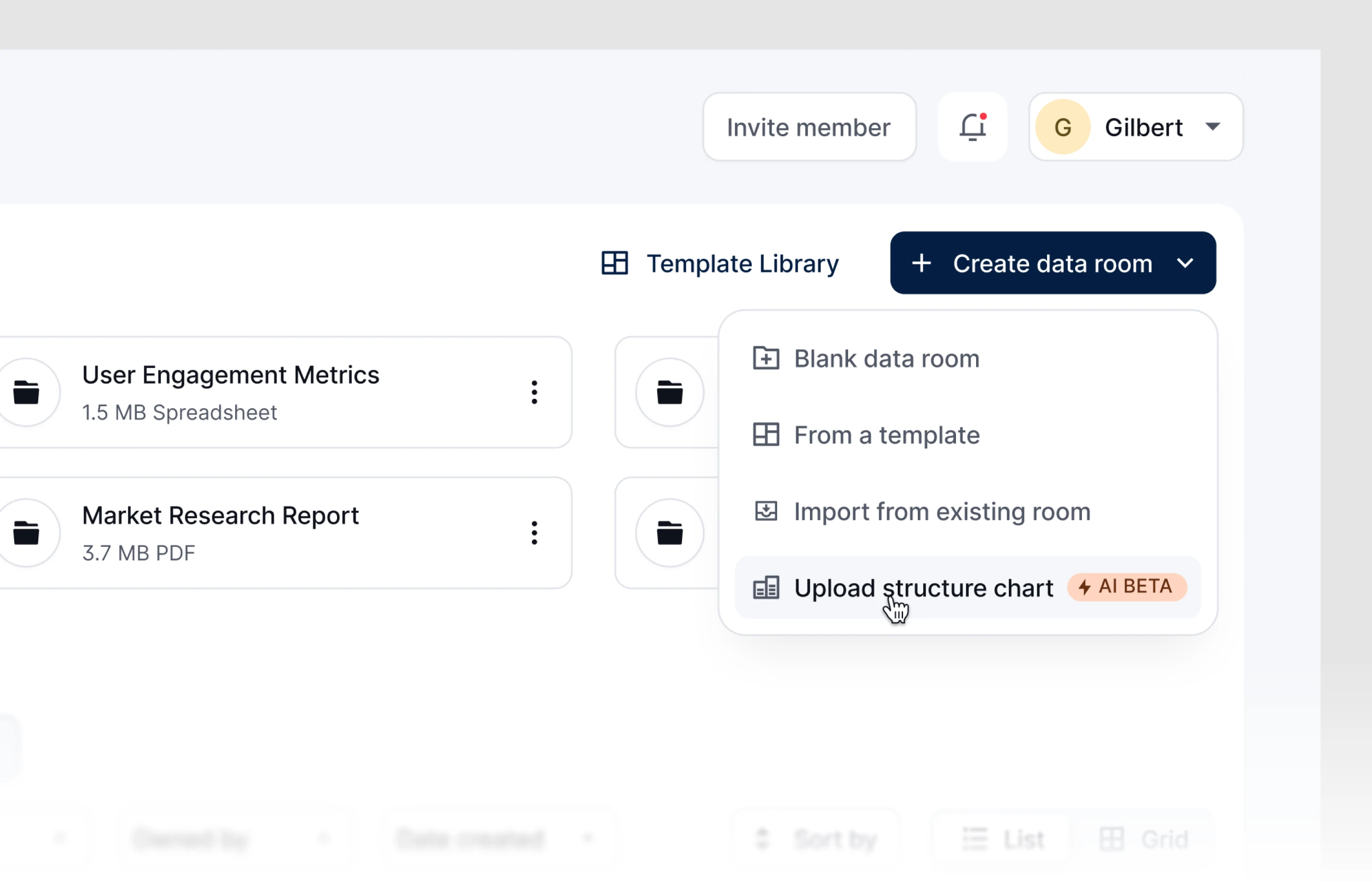
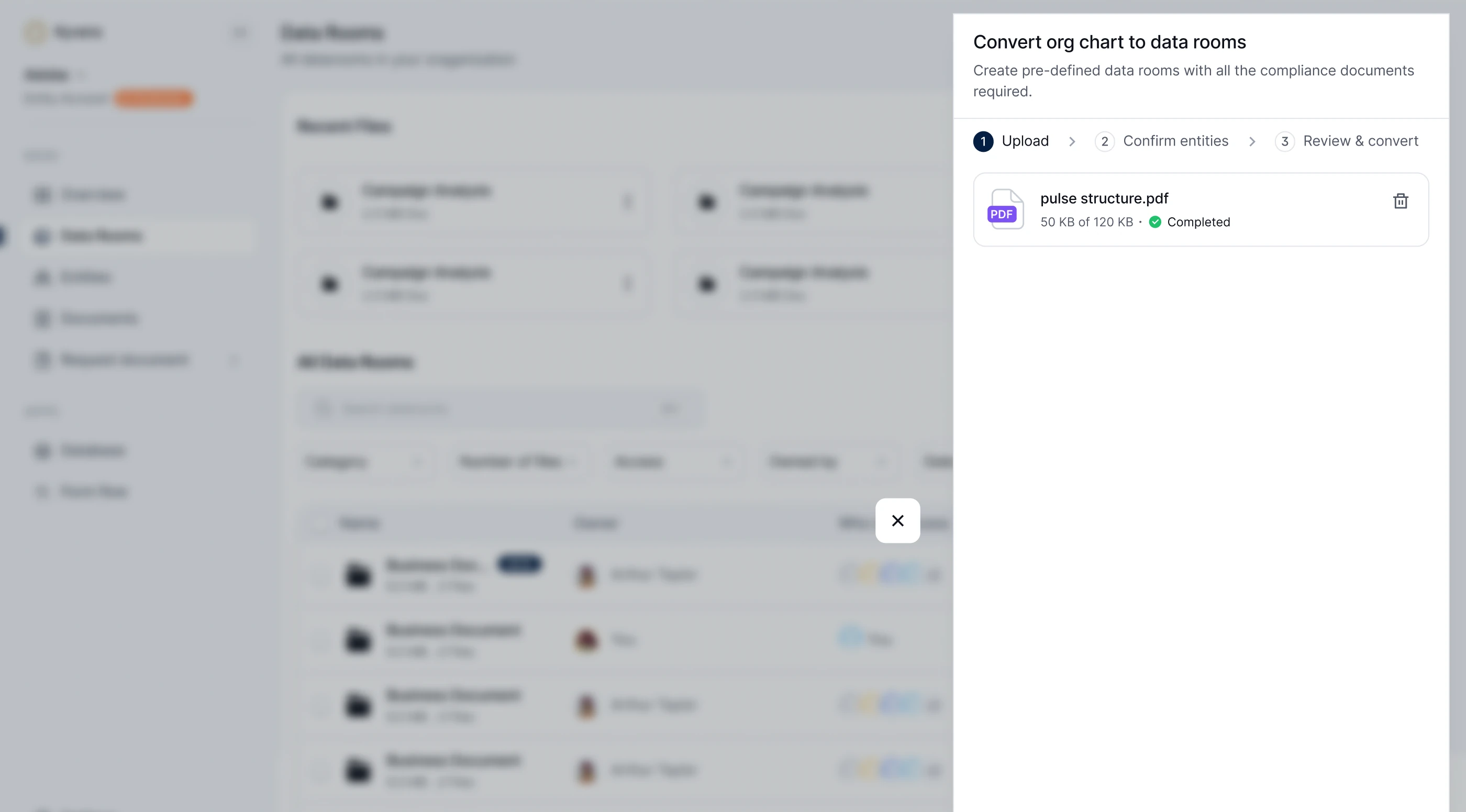
Rooms can start four ways. Blank rooms are for simply storing and sharing files. Duplicated rooms carry over existing checklists, since so much compliance work repeats. Templates cover internal requirements and different jurisdictions. And the most valuable flow we shipped generates rooms from an org chart: upload it, and Kyvera parses the entities and ownership and creates each room with the right document requirements. For firms onboarding clients with complex structures, that replaces hours of manual setup before collection can even start.
Document workflows
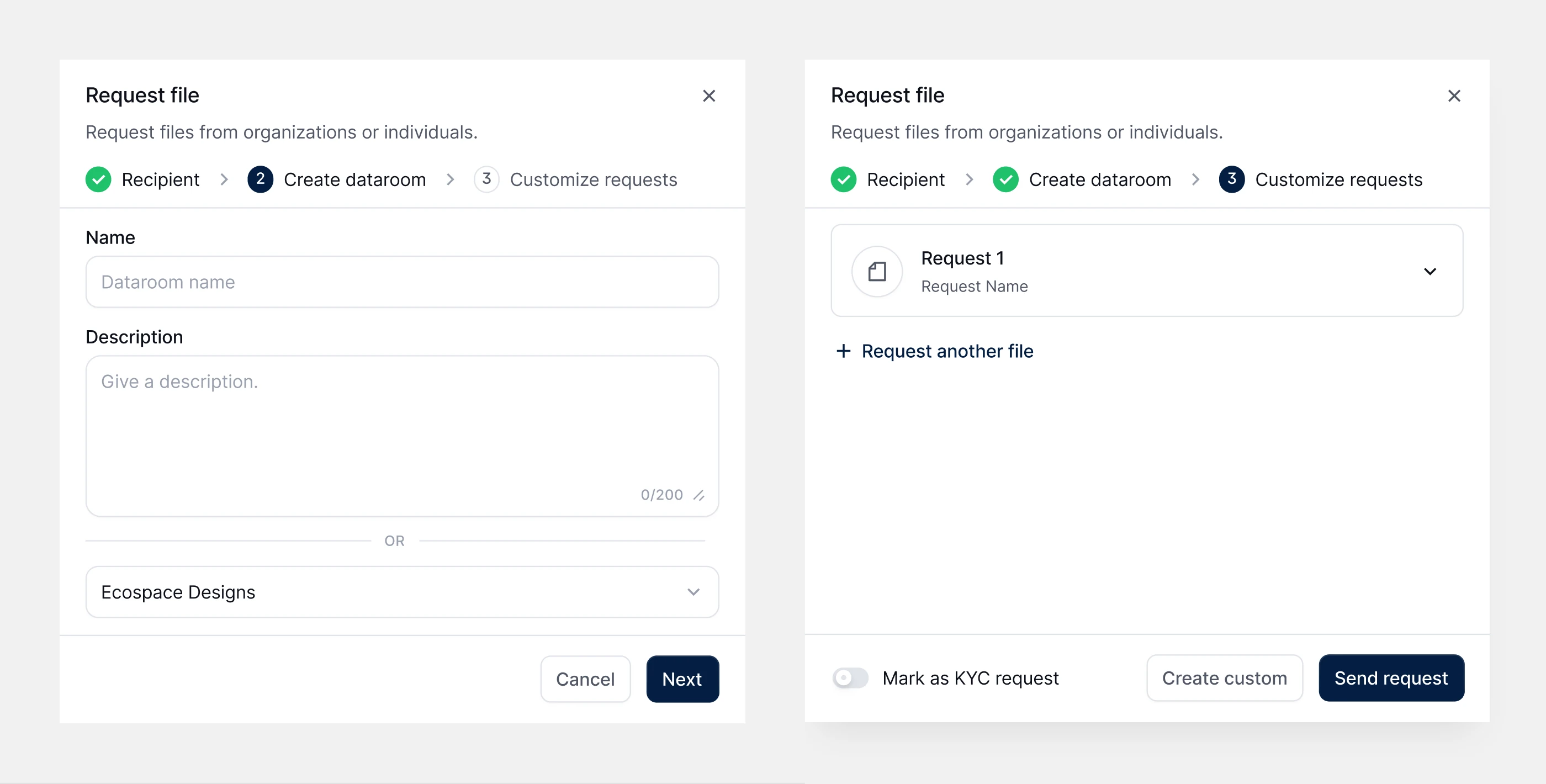
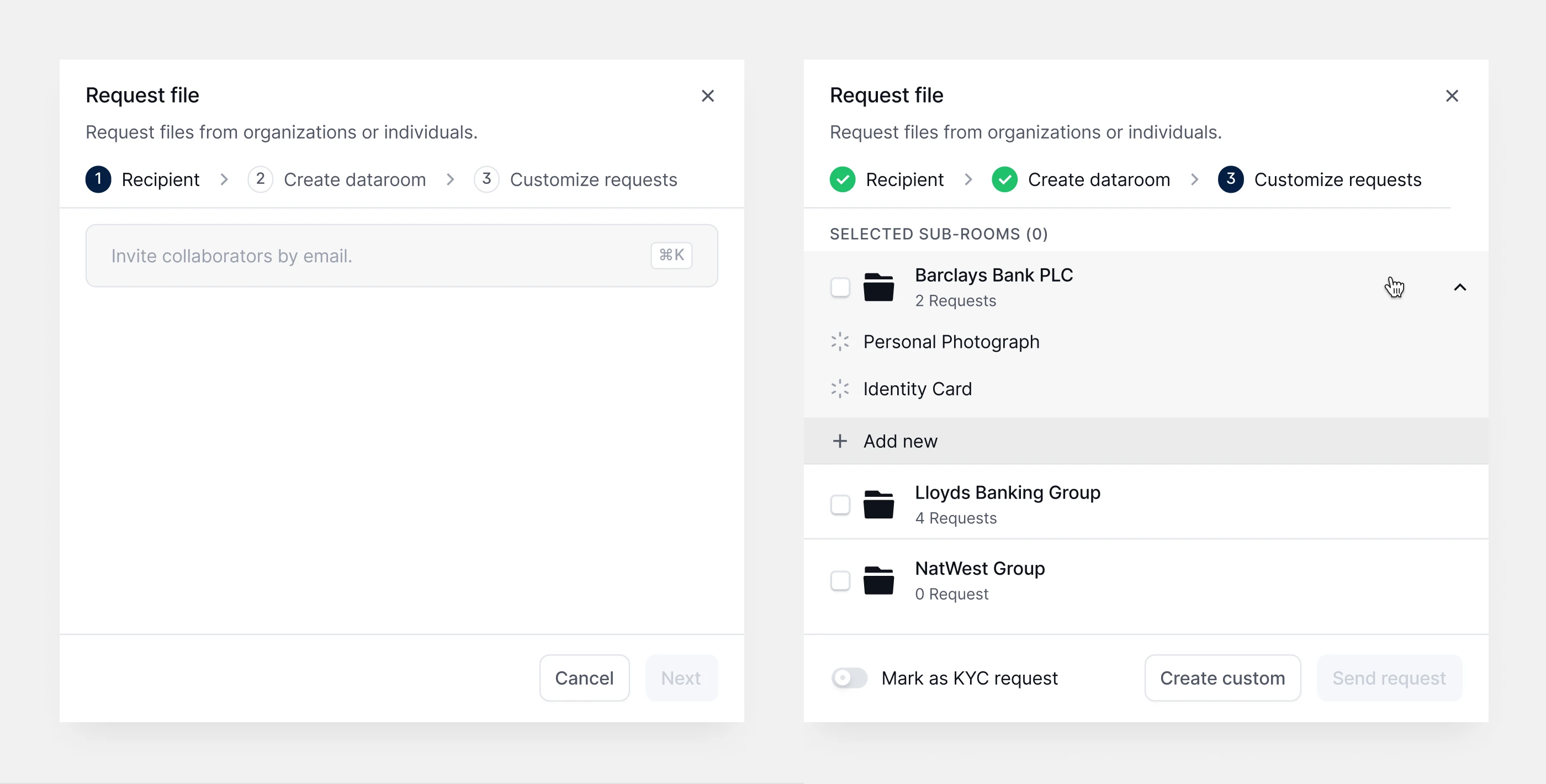
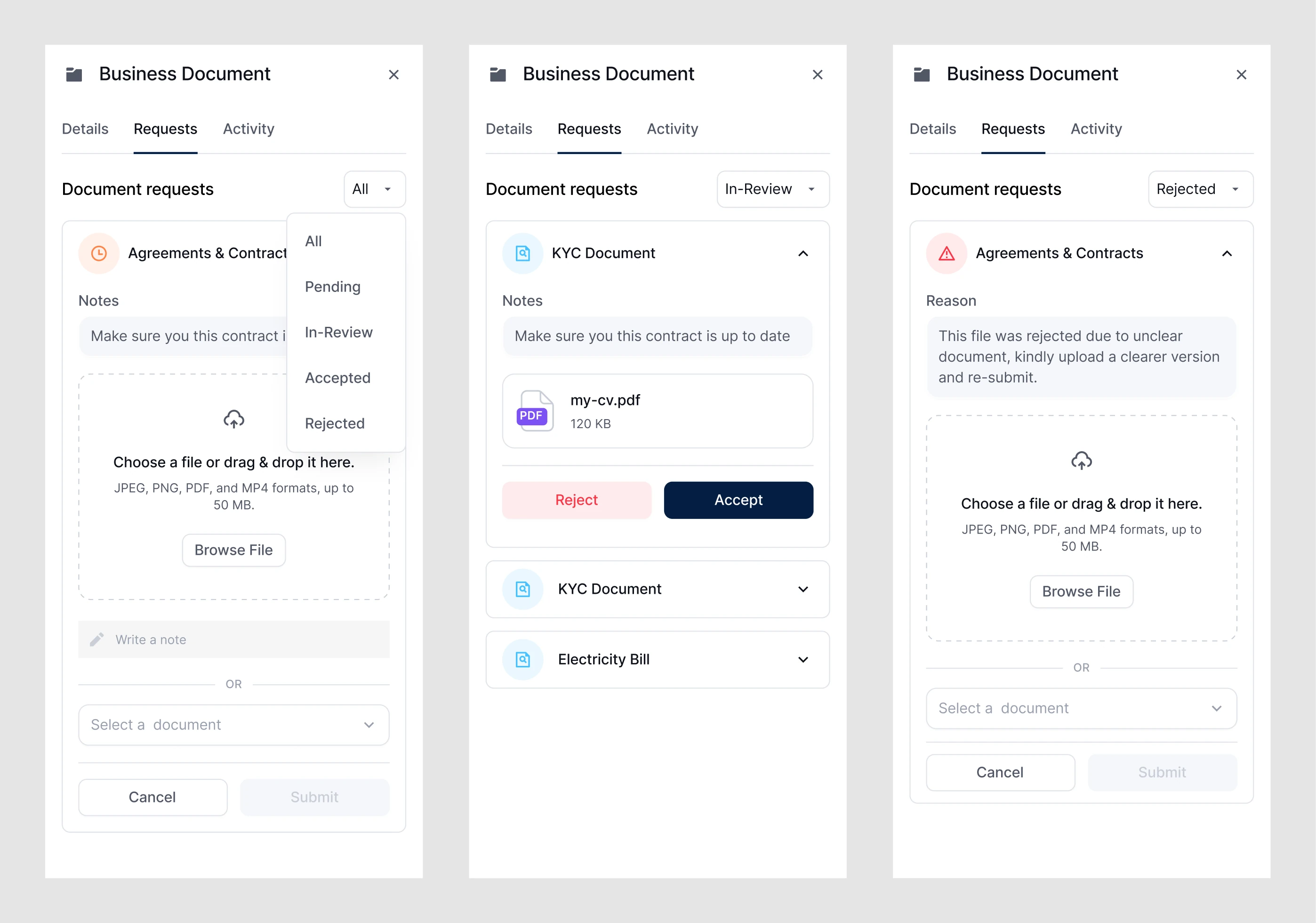
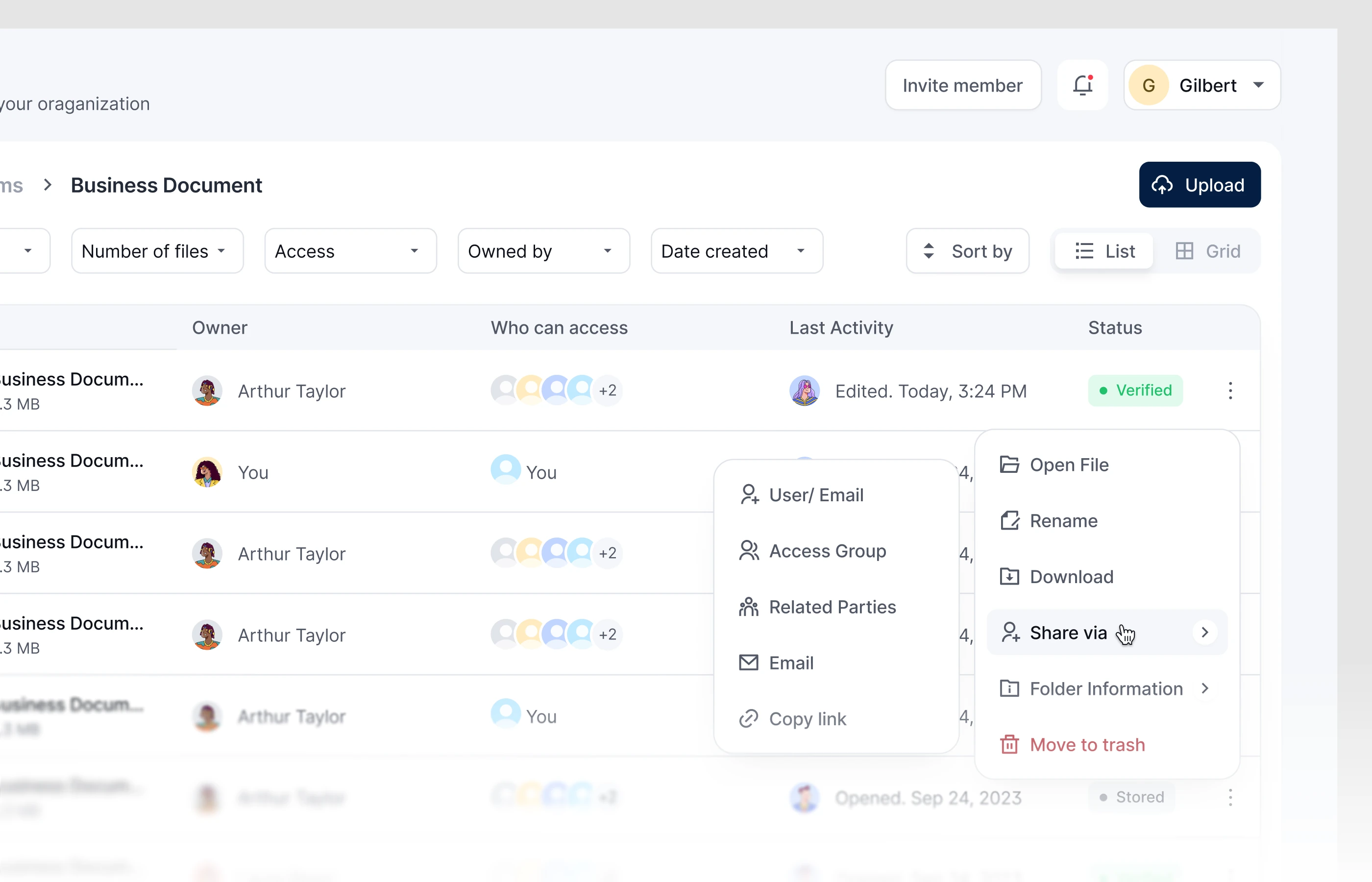
Document collection is usually chaos spread over three or four tools: chasing counterparties by email, tracking arrivals in spreadsheets, handling rejections by hand. We brought it into one flow: Collect → Request → Organise → Review → Close.
Requesting, one of the most used features, starts with the recipient, an email address or a related party, then a new or existing data room. If the room came from an org chart, its checklist appears with each requirement already turned into a request, and users can add, remove or customise items. For entities already on Kyvera, a document can come straight from the registry without sending a request at all.
Review moves each document through clear states: Pending → In review → Accepted or Rejected. Rejections require a reason, so counterparties always know what to fix before resubmitting, and requests close faster. Sharing works five ways: to an account, an access group, related parties, by email, or with a link.
Public pages
The marketing site had one job: explain the product to people who had never used it, without watering down what it does. The audience was financial institutions, law firms and asset managers, many of whom had tried “simple” tools that created more work. The copy, typography, colour and visual system had to feel as trustworthy and considered as the product itself.
What we sharpened
- Clearer developer annotations. Annotating designs in more depth made hand-off smoother and cut both prototyping time and the number of calls. It also kept every design decision traceable to its reason.
- Brainstorming across the team early, which made the hardest parts of the work easier to solve.
- Working closely with non-technical stakeholders, whose knowledge of the domain shaped the product.
- Talking to users early, which set direction and brought clarity sooner.